
DocGen for Salesforce – AgentForce Connector
https://www.youtube.com/watch?v=e5M0YjHMlOk

Setting Edit Rights in a SharePoint Site – Approach with Caution!
There are risks of granting Edit rights broadly. This article underscores the importance of assigning Edit rights selectively and implementing controls such as versioning and approval workflows to safeguard critical documents.
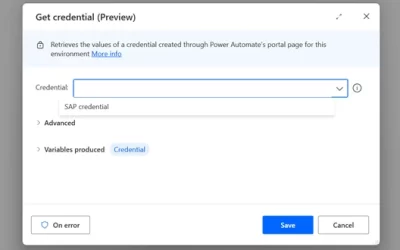
New Security Features for Desktop flows: Enhancing protection of identities, secrets and desktop infrastructure
Power Automate continues to evolve, bringing new security features to help organizations protect their data and automate intelligent processes more securely by design. Here are some of the latest enhancements: Protect Identities and Secrets with credential management...
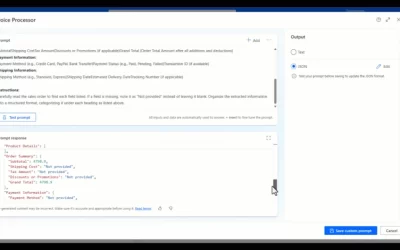
Boost productivity: Automate emails, documents, and images with Microsoft AI Builder
In today’s business environment, streamlined workflows and reduced manual tasks are essential. Microsoft AI Builder brings the power of advanced automation to routine processes like email handling, document processing, and image management, helping businesses run...

The next frontier in enterprise intelligent automations with Microsoft Power Automate
The latest AI experiences in Power Automate are redefining the boundaries of what is possible in enterprise automation—transforming how we optimize and manage business processes to achieve more. Developers can now create advanced automation faster, business...

NOW ON DEMAND: “Create and share Copilot agents in SharePoint in a few clicks”
The "Create and share Copilot agents in SharePoint in a few clicks" is our latest 'Meet the Makers' webinar is just around the corner. This is a great opportunity to learn more from our primary product maker lead, CJ Tan. Karuana Gatimu interviews CJ to uncover more...
Webinar reminder: “Create and share Copilot agents in SharePoint in a few clicks” [Oct. 16, 8am PDT]
The "Create and share Copilot agents in SharePoint in a few clicks" is our latest 'Meet the Makers' webinar is just around the corner. This is a great opportunity to learn more from our primary product maker lead, CJ Tan. Karuana Gatimu interviews CJ to uncover more...
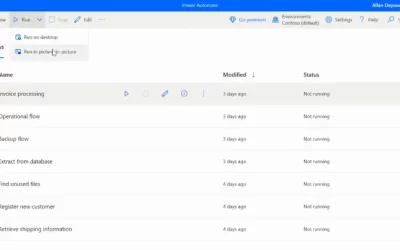
Work and automate simultaneously with picture-in-picture in Power Automate
Traditionally, attended automation takes over users’ mouse, keyboard, and screen, halting their current activity. Picture-in-Picture in Power Automate for desktop lets you run attended desktop flows within a virtual window that mirrors your desktop. It allows...

Managing your organization's brand with the SharePoint brand center
The SharePoint brand center introduces a central location for your organization to manage and create brand assets for Microsoft 365. The new Brand center brings together the power of your organization asset libraries and your organization's brand assets to create and...