![A behind the scenes look at how we secure the Microsoft 365 platform]()
Hey everyone, and welcome to this first post on a topic that we will be talking a lot more about over time!
Microsoft 365 is one of the world’s largest enterprise and consumer cloud services, and customer trust is the foundation of our business: customers and people all around the world rely on us to securely operate and maintain some of their most critical assets. To maintain that trust, we invest heavily in securing the infrastructure that powers our services and hosts this data on behalf of our customers – keeping customer data private and secure is THE top priority for our business. This post, and the other ones we’ll share in this series, will shed light on what we do behind the scenes to secure the infrastructure powering the Microsoft 365 service.
As we think about how to secure our infrastructure, we recognize that the service continues to grow and evolve, both in terms of our user base and in terms of the products and experiences we provide to our customers, and so we must constantly work to stay on top of an ever-increasing surface area. Meanwhile, bad actors are not sitting still, either. Attacker groups seeking to exploit enterprise and consumer data continue to evolve, and customers looking to secure their most sensitive data are going up against the most sophisticated and well-funded adversarial organizations in the world, including nation state attackers with seemingly limitless resources.
To secure the service for our customers given these challenges, we focus on these three areas:
- Building tools and architecture that protect the service from compromise
- Building the capability to detect and respond to threats if a successful attack does occur
- Continuous assessment and validation of the security posture of the service
In the rest of this post we will briefly explore each of these areas, or if you’d like to go deep, you can check out the full whitepaper here.
Designing for Security
Before getting into each of these areas, we wanted to touch on some of the major principles that guide our approach to service security. Here are some of the concepts that form the foundation of what we do to secure service infrastructure:
- Data Privacy: We strongly believe customers own their data, and that we are just custodians of the service that hosts their data. Our service is architected to enable our engineers to operate it without ever touching customer data unless and until specifically requested by the customer.
- Assume Breach: Every entity in the service, whether it is personnel administering the service or the service infrastructure itself, is treated as though compromise is a real possibility. Policies governing access to the service are designed with this principle in mind, as is our approach to defense in depth with continuous monitoring and validation.
- Least Privilege: as above, access to a resource is granted only as needed and with the minimal permissions necessary to perform the task that is needed.
- Breach Boundaries: The service is designed with breach boundaries, meaning that identities and infrastructure in one boundary are isolated from resources in other boundaries. Compromise of one boundary should not lead to compromise of others.
- Service Fabric Integrated Security: Security priorities and requirements are built into the design of new features and capabilities, ensuring that our strong security posture scales with the service. At the scale and complexity of Microsoft 365, security is not something that can be bolted on to the service at the end.
- Automated and Automatic: We focus on developing durable products and architectures that can intelligently and automatically enforce service security while giving our engineers the power to safely manage response to security threats at scale. Again, the scale of Microsoft 365 is a key consideration here as our security solutions must handle millions of machines and thousands of internal operators.
- Adaptive Security: Our security capabilities adapt to and are enhanced by continuous evaluation of the threats facing the service. In some cases, our systems adapt automatically through machine learning models that categorize normal behavior (as opposed to attacker behavior which would represent a deviation from the norm). In other cases, we regularly assess service security posture through penetration testing and automated assessment, feeding the results of that back into product development.
The next sections will look into how we put these principles into practice to protect the service, mitigate risk if compromise does occur, and validate our security posture to make sure all of this works.
Minimizing the Risk of Compromise
Our favorite attack is the one that never gets started because we prevented it from happening in the first place. Broadly speaking, protecting the service from attack focuses on two vectors: people (making sure that the Microsoft employees who build and manage the service cannot compromise or damage it), and the technical infrastructure of the service itself (making sure that the machinery running the service has integrated defenses and is architected and configured in a most-secure default configuration).
When it comes to securing the infrastructure from internal operators, our motto here is Zero Standing Access (ZSA). This means that, by default, the teams and personnel charged with developing, maintaining, and repairing core Microsoft 365 services have no elevated access to the service infrastructure, and any elevated privileges must be authorized as shown in the flow below.

Illustration of the Lockbox JIT request process. No account has standing administrative rights in the service. Just in time (JIT) accounts are provisioned with just enough access (JEA) to perform the action that is needed
It is important to keep in mind that even with the approved elevated privileges, a specific restrictive account is provisioned just for that activity. This account is bound by time, scope and approved actions. Ultimately, this is all about making sure that the blast radius for a single account is minimized: even if an internal operator’s account is compromised, it is by design prevented from doing any damage unless additional steps are taken.
Our protections go beyond restricting the blast radius of accounts. Network controls restrict the types of connections that can be made into our services, we also restrict the types of connections permitted between service partitions. This reduces the surface area for attackers to target for initial entry, and it also makes it harder for attackers to move around the service to find what they’re looking for.
Mitigating Risk if the Worst Happens
The assume breach model goes beyond designing architectural protections and access control policies: it means that no matter how effective those protections are, we cannot trust that they will always hold. We must assume a non-zero probability of successful attack, no matter how confident we are in our defenses. We need to have the ability to detect and mitigate these attacks against the service infrastructure before they result in a compromise of customer data.
Our work in this space spans security monitoring and incident response:
- Security Monitoring: this is about building systems and processes to catch compromise to the infrastructure in real time and at scale, allowing us to respond to and stop attacks before they propagate throughout the service
- Incident Response: we need tools and processes to mitigate risk and evict attackers, also in real time and at scale, in response to the alerts raised by our monitoring systems

Incident response is cloud-powered and service-aware. It can be triggered autonomously for basic actions, or manually for more complex scenarios. Remediation can take effect on a small number of machines, or across a service partition if necessary
As the diagram illustrates, automation and scale are priorities for us in this area. For us to catch and stop attacks against a service the size of Microsoft 365, our systems need to be intelligent enough to proactively and accurately alert us to potential issues, and we need the ability to respond quickly and at scale. Anything less simply won’t do given the scale of the service.
Constant Validation
Our assume breach principle is all about planning for the worst – given how seriously we take this philosophy, we would be remiss if we did not have a plan for mitigating potential gaps in our security posture. Indeed, we validate our security posture regularly, automatically, and through cloud-based tools (we hope that you notice a trend here).
We have two primary forms of validation:
- Architectural and configuration assessment: verifying that promises we make about our service architecture (for example, that specific networks are correctly segmented or that machines are up to date with required patches) hold and do not regress.
- Post-exploitation validation: simulating attacks directly against our infrastructure, with the goal of verifying that our monitoring and response systems work as expected in the production environment.
Both forms of validation run directly against the service infrastructure, and they do so continuously. If any regression in security posture does occur, we want to learn about it as quickly as possible so that we can repair it before it gets exploited by attackers.
Learn More
Securing the infrastructure of one of the world’s largest cloud services requires us to stay ahead of attackers while also keeping up with constantly increasing service scale and complexity. Maintaining customer trust in Microsoft 365 requires us to design our services to a robust set of core security principles and to make sure those principles are embedded deeply into service design and operations.
We have written a whitepaper that looks deeper into what this means, and we will expand on this and other security topics critical to our business in future papers. We hope you find this interesting and informative and look forward to hearing any feedback.
Thank you
@Adam Hall on behalf of the entire Datacenter Security team
![A behind the scenes look at how we secure the Microsoft 365 platform]()
We are excited to announce a few new enhancements to Office 365 Message Encryption that help broaden protection and simplify reading protected messages. Updates include:
- Support for PDF attachments
- Support for Shared Mailboxes
- Mac prelicensing
Please read further for more details.
Support for PDF attachments
Office 365 Message Encryption enables users to seamlessly apply protection to the email and its attachments. That means the attachment inherits the same protection applied to the email – further protecting the sensitive content.
Previously only Office document (e.g. Word, PowerPoint, Excel) were supported, but we are excited to share that Office 365 Message Encryption now also supports PDF attachments.

Recipients will be able to preview the protected PDF directly from Outlook on the web by end of December.
You can learn how to enable this setting here.

Support for shared mailbox
We are happy to announce support for viewing protected content sent to a shared mailbox. Enterprise users who have been directly assigned access to a shared mailbox can now open and view protected content in that shared mailbox. Viewing of protected emails in is now supported cross-platform (e.g. Outlook on the web, Outlook Desktop, Outlook for Mac, and Outlook for iOS and Android) with opening of supported protected attachments on Office in Windows and Mac, and Outlook on the web. Supported attachments include PowerPoint, Excel, and Word files. This functionality is now Generally Available, and no additional configuration is required to enable this. You can learn more here.
Outlook pre-licensing for Mac
In order to allow authorized users to view protected emails and attachments, Exchange automatically attaches a pre-license to protected messages. This eliminates the need for the client to make a service call to retrieve a use license and enables offline viewing of protected content. This functionality has been available on Windows Outlook by default for some time, and we are happy to announce that this has now also been enabled for Outlook on Mac and is Generally Available.
Get started
All these updates are available today. Please review documentation for further details. For any questions you can refer to our documentation.
Thank you!
Our industry-leading conference is hitting the road—and coming to a city near you. You don’t want to miss the very latest in cloud technologies and developer tools with guest speakers, industry experts, and more. Get on the list today! This blog covers all the related sessions and content to learn more about SharePoint, OneDrive, Yammer and Stream – aka, SOYS.
“If learning is an act of exploration, then technology equips the explorer for the journey of a lifetime.”
– Anonymous.
If you were unable to attend Ignite in Orlando, FL last week, fear not. Now is your chance to soak up all the benefits of Ignite near your own back yard. Microsoft is bringing Ignite The Tour to a city near you.
Dive into the SharePoint, OneDrive, Yammer and Stream (SOYS) session at Microsoft Ignite The Tour.
In the SharePoint, OneDrive, Yammer, Stream (SOYS) and related tech space, keep a look out for the “Content collaboration, Communication, and Engagement in the Intelligent Workplace” learning path that consists of the below four 45-minute sessions in every city listed further below in the next “schedule” section:
- “Content collaboration and protection with SharePoint, OneDrive and Microsoft Teams” [SOYS10]
- Abstract: SharePoint connects the workplace and powers content collaboration. OneDrive connects you with all your files in Office 365. Teams is the hub for teamwork. Together, SharePoint, OneDrive and Teams are greater than the sum of their parts. Join us for an overview of how these products interact with each other and learn about latest integrations we are working on to bring the richness of SharePoint directly into Teams experiences and vice versa. We’ll explore new innovations for sharing and working together with data using SharePoint lists, and no-code productivity solutions that streamline business processes. Finally, we’ll explore how to structure teams and projects with hub sites.
- “Connect the organization and engage people with SharePoint, Yammer and Microsoft Stream” [SOYS20]
- Abstract: Company leaders recognize the need to transform their workforce, and organizations where employees are truly engaged report improved employee retention, customer satisfaction, sales metrics, and overall profitability. Microsoft 365 delivers the modern workplace and solutions that help you engage employees across organizational boundaries, generations and geographies, so you can empower your people to achieve more. Learn how SharePoint, Yammer and Stream work together to empower leaders to connect with their organizations, to align people to common goals, and to drive cultural transformation. Dive into the latest innovations including live events, new Yammer experiences and integrations, the intelligent intranet featuring home sites.
- “The intelligent intranet: Transform communications and digital employee experiences” [SOYS30]
- Abstract: The intelligent intranet in Microsoft 365 connects the workplace to power collaboration, employee engagement, and knowledge management. In this demo-heavy session, explore the latest innovations to help you transform your intranet into a rich, mobile-ready employee experiences that are dynamic, personalized, social and actionable. The session will explore new innovations for sites and portals, showcase common intranet scenarios, and provide actionable guidance toward optimal intranet architecture and governance.
- “Harness collective knowledge with intelligent content services and Microsoft Search” (includes #ProjectCortex) [SOYS40]
- Abstract: Join us to learn about the most significant innovations ever unveiled for knowledge management and intelligent content services in Microsoft 365. Get the latest updates on Project Cortex, Microsoft Search and other experiences that connect you with knowledge, insights, expertise, answers and actions, within your everyday experiences across Microsoft 365.
+ Microsoft Intelligent Intranet Accelerator Workshop (offered in 16 of the 30 Ignite The Tour cities)
- Join us for an exclusive and interactive half-day event, targeted toward IT Decision Makers and Implementors around the world, ready to make a change to their intranet. Participate in deep technical sessions and immersive hands-on workshops. And explore real-world applications you can implement today to connect, succeed, and engage – faster.
- Learn more, find a city near you and register for one of our FREE interactive workshops today.
As a primer for all things SOYS, we encourage you to view CVP Jeff Teper’s general session on-demand before attending The Tour, “The latest innovations in SharePoint, OneDrive, and Office for content collaboration in Microsoft 365” – from Ignite 2019 in Orlando, FL.
Upcoming 2019/2020 cities schedule nearest/best for you…
Below, find the upcoming city and date nearest/best for you, review the local SOYS learning path and individual sessions, and follow all the action throughout the year with #MSIgniteTheTour on Twitter.
2019
2020
- Toronto, Canada (Jan.8-9): Full SOYS learning path = SOYS10 | SOYS20 | SOYS30 | SOYS40 | Intelligent Intranet Accelerator Workshop
- Shenzhen, China (Jan.13-14): Full SOYS learning path = SOYS10 | SOYS20 | SOYS30 | SOYS40
- London, England (Jan.16-17): Full SOYS learning path = SOYS10 | SOYS20 | SOYS30 | SOYS40 | Intelligent Intranet Accelerator Workshop
- Seoul, South Korea (Jan.21-22): Full SOYS learning path = SOYS10 | SOYS20 | SOYS30 | SOYS40
- Osaka, Japan (Jan.22-23): Full SOYS learning path = SOYS10 | SOYS20 | SOYS30 | SOYS40
- Milan, Italy (Jan.27-28): Full SOYS learning path = SOYS10 | SOYS20 | SOYS30 | SOYS40
- Johannesburg, South Africa (Jan.30-31): Full SOYS learning path = SOYS10 | SOYS20 | SOYS30 | SOYS40 | Intelligent Intranet Accelerator Workshop
[note | links are not yet available for cities beyond this date; we will update as soon as they are available]
- Washington D.C., USA (Feb.6-7): Full SOYS learning path = SOYS10 | SOYS20 | SOYS30 | SOYS40 | Intelligent Intranet Accelerator Workshop
- Dubai, United Arab Emirates (Feb.10-11): Full SOYS learning path = SOYS10 | SOYS20 | SOYS30 | SOYS40 | Intelligent Intranet Accelerator Workshop
- Sydney, Australia (Feb.13-14): Full SOYS learning path = SOYS10 | SOYS20 | SOYS30 | SOYS40 | Intelligent Intranet Accelerator Workshop
- Taipei, Taiwan (Feb.17-18): Full SOYS learning path = SOYS10 | SOYS20 | SOYS30 | SOYS40
- Singapore (Feb.20-21): Full SOYS learning path = SOYS10 | SOYS20 | SOYS30 | SOYS40 | Intelligent Intranet Accelerator Workshop
- Prague, Czech Republic (Feb.24-25): Full SOYS learning path = SOYS10 | SOYS20 | SOYS30 | SOYS40
- Copenhagen, Denmark (Feb.27-28): Full SOYS learning path = SOYS10 | SOYS20 | SOYS30 | SOYS40 | Intelligent Intranet Accelerator Workshop
- Zurich, Switzerland (Mar.4-5): Full SOYS learning path = SOYS10 | SOYS20 | SOYS30 | SOYS40
- Amsterdam (Mar.11-12): Full SOYS learning path = SOYS10 | SOYS20 | SOYS30 | SOYS40 | Intelligent Intranet Accelerator Workshop
- Shanghai, China (Mar.18-19): Full SOYS learning path = SOYS10 | SOYS20 | SOYS30 | SOYS40
- Hong Kong (Mar.25-26): Full SOYS learning path = SOYS10 | SOYS20 | SOYS30 | SOYS40 | Intelligent Intranet Accelerator Workshop
- Madrid, Spain (Mar.25-26): Full SOYS learning path = SOYS10 | SOYS20 | SOYS30 | SOYS40
- Mexico City, Mexico (Mar.30-31): Full SOYS learning path = SOYS10 | SOYS20 | SOYS30 | SOYS40
- Mumbai, India (Apr.2-3): Full SOYS learning path = SOYS10 | SOYS20 | SOYS30 | SOYS40
- Bangalore, India (Apr.7-8): Full SOYS learning path = SOYS10 | SOYS20 | SOYS30 | SOYS40
- Chicago, USA (Apr.15-16): Full SOYS learning path = SOYS10 | SOYS20 | SOYS30 | SOYS40 | Intelligent Intranet Accelerator Workshop
- Tel Aviv, Israel (Apr.22-23): Full SOYS learning path = SOYS10 | SOYS20 | SOYS30 | SOYS40
- Berlin, Germany (Apr.29-30): Full SOYS learning path = SOYS10 | SOYS20 | SOYS30 | SOYS40 | Intelligent Intranet Accelerator Workshop
- Stockholm, Sweden (May.5-6): Full SOYS learning path = SOYS10 | SOYS20 | SOYS30 | SOYS40 | Intelligent Intranet Accelerator Workshop
Microsoft Ignite The Tour 2019/2020 (Worldwide)
Microsoft Ignite The Tour brings the very best of Microsoft Ignite to a city near you. The tour provides technical training led by Microsoft experts and your community. You’ll learn new ways to build solutions, migrate and manage infrastructure, and connect with local industry leaders and peers.
100+ deep-dive sessions and workshops, 350+ experts.
Learn | Connect | Explore.
Learn more at Microsoft.com/Ignite and follow the action on Twitter: @MS_Ignite, @SharePoint, @OneDrive, @Yammer, and @MicrosoftStream.
Join in | Microsoft Ignite | The Tour, a global series of two-day tech events bringing Microsoft experts to a city near you.
Safe non-traveling, Mark
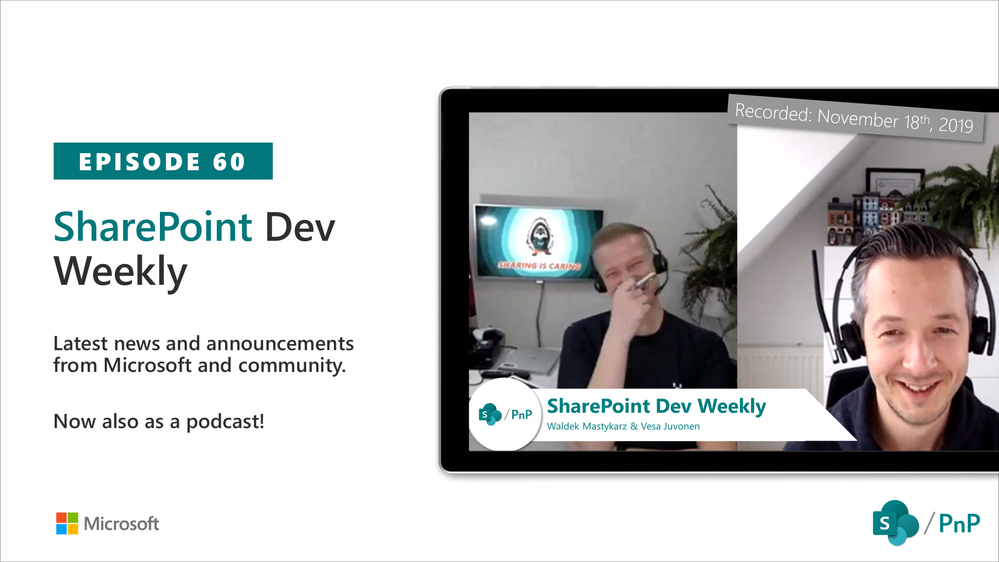
In this session of SharePoint Dev Weekly, hosts – Vesa Juvonen (Microsoft), Waldek Mastykarz (Rencore), discuss the latest news and topics around SharePoint development.
In addition to drawing attention to the latest advancements being delivered by the SharePoint Community and Microsoft, Vesa and Waldek’s discussion this week focused on: Just because you can develop it, should you?
This episode was recorded on Monday, November 18, 2019.

“Prepare the umbrella before it rains.” – Malay Proverb
[Update 11/10/19 | many sessions are now available on-demand; same links as below; video embedded into each session page]
Let technology rain. With less than two weeks until Microsoft Ignite 2019, the SharePoint, OneDrive, Yammer and Stream speakers are firing on all cylinders to finalize their sessions for this year’s conference. And while the Ignite session catalog is live at https://myignite.techcommunity.microsoft.com, preparing YOUR umbrella from thousands of sessions can take some time even for the veteran attendee. And we’re to help – galoshes at the ready! If you’re passionate about these four technologies, below are most of the sessions to get you started – along with a few closely related sessions we couldn’t not call out.
All SharePoint, OneDrive, Yammer and Stream sessions are bucketed by these categories below:
- Jeff Teper’s two big sessions
- Content and team collaboration
- Intelligent intranet
- Harness collective knowledge and Microsoft Search
- Content services, business applications, and the developer platform
- IT Pro: security and administration
- and related theater sessions
Steady your umbrella, find your favorites and +Add to schedule.
First, always suggest attending the Jeff Teper sessions
In the world of SharePoint, OneDrive, Yammer, Stream and Office, there is no one better to give you the best insights of what’s to come than Jeff Teper, Corporate Vice President on the engineering side of it all.
Catch Jeff at his main session – one big breakout and a show with Microsoft Mechanics:
Content and team collaboration
Microsoft 365 is designed to be a universal toolkit for teamwork – to give you the right tools for the right task, along with common services to help you seamlessly work across applications. Office is the clear place to start on web, desktop and mobile. SharePoint promotes the intelligent content service backbone that powers teamwork – to better collaborate on proposals, projects, and campaigns throughout your organization – and is integrated with Microsoft Teams, OneDrive, Planner, Office 365 Groups and much more.
These sessions put teamwork first:
Intelligent intranet
Intranets remain a mission critical tool of digital transformation. They bring together multiple pieces of information, processes, and people to empower organizations to keep employees engaged and informed and to share knowledge and expertise. Modern SharePoint, along with Yammer and Microsoft Stream, is ready to power your entire intelligent intranet with more engaging, easier to create site and web content experiences that provide industry-leading time to value across mobile, web, and desktop.
These sessions will make you intelligent about the intelligent intranet:
Harness collective knowledge and Microsoft Search
Our world is rapidly transforming. The amount of data each of us must process is ever increasing. And Microsoft Search plus AI meets you wherever you are. From SharePoint to Delve, from Office apps to Bing for your business, harness the collective knowledge of your organization in every experience so everyone can be more engaged and effective every day. Using the intelligence of the Microsoft Graph, relevant content will surface to keep you up to date allowing you to unlock creativity with personalized search and discover people and content in the context of their work.
These sessions will find you before you find them:
Content services, business applications, and the developer platform
Most processes center on content – files and data. SharePoint gives you tools to gather and manage data in lists and libraries, while Microsoft 365 provides connections to a range of third-party systems with Microsoft Flow and PowerApps, and new streamlined business processes delivered and integrated to Microsoft Teams.
And, devs, we got you covered, too: yo /sharepoint –solution-name “hello-Ignite.” Dive into the latest SharePoint Framework innovation, Microsoft Graph power, and all the PnP goodness.
These sessions fill up your low-to-no code solution’ing thru to custom apps and APIs:
IT Pro: security and administration
With growing digital data in your organizations, need for simplified governance of this corporate data and staying current in compliance are becoming critical for business’s success. With OneDrive, SharePoint and Microsoft 365, your data is in the most secure and compliant place. And we continue the journey to modernize the entire admin experience. The new admin and security centers offer much more control for migration, compliance and overall management of your modern workspace.
These sessions give you the control to manage your Ignite IT Pro needs:
All related Theater sessions
Theater sessions are short (20 minutes) and super packed with information. If you want to learn a lot in a targeted fashion in a short amount of time, these theater sessions are for you:
Ignite 2019 (November 4-8 in Orlando, FL, USA)
If you are interested in talking to Microsoft 1:1 about #OneDrive and #SharePoint at #MSIgnite? Sign up for a hands-on session with the OneDrive and SharePoint research team. #BeHeard
The Microsoft Ignite conference is happening in Orlando from November 4-8. Ignite is Microsoft’s annual gathering of technology leaders and practitioners. It’s a full week of visionary discussions and hands-on learning about the latest tools and insights that are driving tomorrow’s innovations.
- Connect with 25,000+ people, 1000+ sessions, and 200+ hands-on experiences + a Vision Keynote with Microsoft CEO, Satya Nadella.
- Learning about the latest tools in cloud technology, as well as development techniques that will help us better manage our infrastructure and migrate legacy workloads.
- Connecting with experts and other tech professionals who are working through the same business challenges we are, and who have shared interests.
- Exploring the latest in productivity and security through interactive experiences, hands-on demos, labs, and training sessions.
Learn more at Microsoft.com/Ignite and follow the action on Twitter: @MS_Ignite, @SharePoint, @OneDrive, @Yammer, and @MicrosoftStream.
And whether you attend Ignite or not, take a look at Microsoft Ignite | The Tour, a global series of two-day tech events bringing Microsoft experts to a city near you.
Safe travels and we look forward to seeing you all in Orlando and beyond,
Mark
GO TO MYIGNITE







