What is SharePoint Perfwiz and why do we need a replacement?
SharePoint Perfwiz was a tool used by Product Support to create performance log counters on SharePoint servers to troubleshoot performance issues. This tool has been deprecated but there is still a need to collect performance data for those pesky performance issues.
The Perfwiz tool simply used LOGMAN.exe to create a custom counter set with several selected counters specifically for SharePoint servers.
This blog will detail how to use LOGMAN.exe to mimic the baseline counter set that was created by the Perfwiz tool.
The command Line
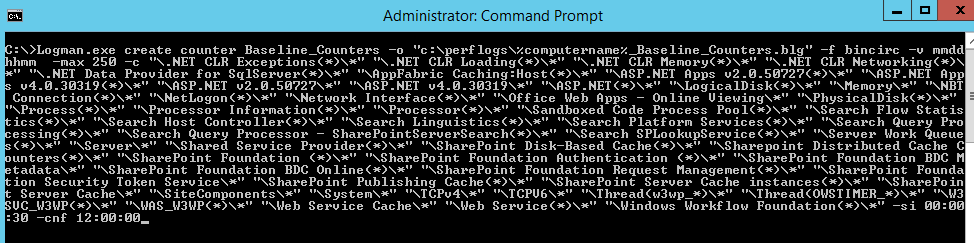
Here is the command used to create the Baseline counter set:
Logman.exe create counter Baseline_Counters -o “c:perflogsBaseline_Counters.blg” -f bincirc -v mmddhhmm -max 250 -c “.NET CLR Exceptions(*)*” “.NET CLR Loading(*)*” “.NET CLR Memory(*)*” “.NET CLR Networking(*)*” “.NET Data Provider for SqlServer(*)*” “AppFabric Caching:Host(*)*” “ASP.NET Apps v2.0.50727(*)*” “ASP.NET Apps v4.0.30319(*)*” “ASP.NET v2.0.50727*” “ASP.NET v4.0.30319*” “ASP.NET(*)*” “LogicalDisk(*)*” “Memory*” “NBT Connection(*)*” “NetLogon(*)*” “Network Interface(*)*” “Office Web Apps – Online Viewing*” “PhysicalDisk(*)*” “Process(*)*” “Processor Information(*)*” “Processor(*)*” “Sandboxed Code Process Pool(*)*” “Search Flow Statistics(*)*” “Search Host Controller(*)*” “Search Linguistics(*)*” “Search Platform Services(*)*” “Search Query Processing(*)*” “Search Query Processor – SharePointServerSearch(*)*” “Search SPLookupService(*)*” “Server Work Queues(*)*” “Server*” “Shared Service Provider(*)*” “SharePoint Disk-Based Cache(*)*” “Sharepoint Distributed Cache Counters(*)*” “SharePoint Foundation (*)*” “SharePoint Foundation Authentication (*)*” “SharePoint Foundation BDC Metadata*” “SharePoint Foundation BDC Online(*)*” “SharePoint Foundation Request Management(*)*” “SharePoint Foundation Security Token Service*” “SharePoint Publishing Cache(*)*” “SharePoint Server Cache instances(*)*” “SharePoint Server Cache*” “SiteComponents*” “System*” “TCPv4*” “TCPV6*” “Thread(w3wp_*)*” “Thread(OWSTIMER_*)*” “W3SVC_W3WP(*)*” “WAS_W3WP(*)*” “Web Service Cache*” “Web Service(*)*” “Windows Workflow Foundation(*)*” -si 00:00:30 -cnf 12:00:00
Switches used:
-o: The output file
-f: Sets the file to a circular binary
-v: Adds a date / time stamp in the file name
-max: The max file size
-c: The counter list
-si: The sample interval
-cnf: 12:00:00 tells the counter to create a new file and continue when the max size has been reached or after 12 hours.
What is looks like
To run the LOGMAN.exe command, you will need an elevated command prompt to run this command.
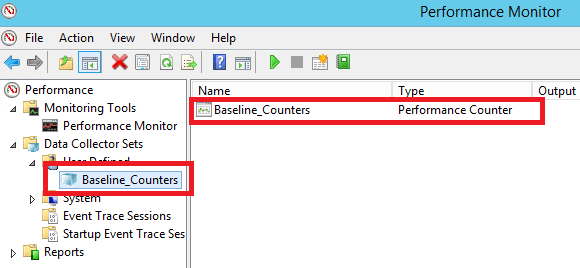
Here is what it looks like after the counters are created:
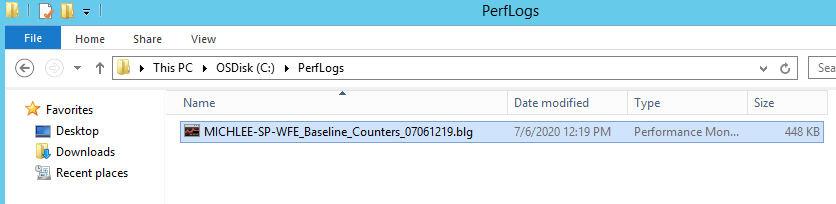
Here is an example of the output file:
After the counters are created, they can be started with the following command:
logman start Baseline_Counters
After the problem is reproduced, stop the counters with the following command:
logman stop Baseline_Counters
However, they can be started and stopped manually as well.
Important notes and takeaways
- If you have multiple servers, you can use the -s switch and feed in a server list, example:
$servers = Get-Content c:tempservers.txt

foreach ($server in $servers) {

Logman.exe create counter -s $server 'Baseline_Counters' -o 'c:perflogsBaseline_Counters.blg' -f bincirc -v mmddhhmm -max 250 -c '".NET CLR Exceptions(*)*" ".NET CLR Loading(*)*" ".NET CLR Memory(*)*" ".NET CLR Networking(*)*" ".NET Data Provider for SqlServer(*)*" "AppFabric Caching:Host(*)*" "ASP.NET Apps v2.0.50727(*)*" "ASP.NET Apps v4.0.30319(*)*" "ASP.NET v2.0.50727*" "ASP.NET v4.0.30319*" "ASP.NET(*)*" "LogicalDisk(*)*" "Memory*" "NBT Connection(*)*" "NetLogon(*)*" "Network Interface(*)*" "Office Web Apps - Online Viewing*" "PhysicalDisk(*)*" "Process(*)*" "Processor Information(*)*" "Processor(*)*" "Sandboxed Code Process Pool(*)*" "Search Flow Statistics(*)*" "Search Host Controller(*)*" "Search Linguistics(*)*" "Search Platform Services(*)*" "Search Query Processing(*)*" "Search Query Processor - SharePointServerSearch(*)*" "Search SPLookupService(*)*" "Server Work Queues(*)*" "Server*" "Shared Service Provider(*)*" "SharePoint Disk-Based Cache(*)*" "Sharepoint Distributed Cache Counters(*)*" "SharePoint Foundation (*)*" "SharePoint Foundation Authentication (*)*" "SharePoint Foundation BDC Metadata*" "SharePoint Foundation BDC Online(*)*" "SharePoint Foundation Request Management(*)*" "SharePoint Foundation Security Token Service*" "SharePoint Publishing Cache(*)*" "SharePoint Server Cache instances(*)*" "SharePoint Server Cache*" "SiteComponents*" "System*" "TCPv4*" "TCPV6*" "Thread(w3wp_*)*" "Thread(OWSTIMER_*)*" "W3SVC_W3WP(*)*" "WAS_W3WP(*)*" "Web Service Cache*" "Web Service(*)*" "Windows Workflow Foundation(*)*"' -si 00:00:30 -cnf 12:00:00
 }
- The default action of this counter set is to run forever, you will need to stop them manually once this data is no longer needed.
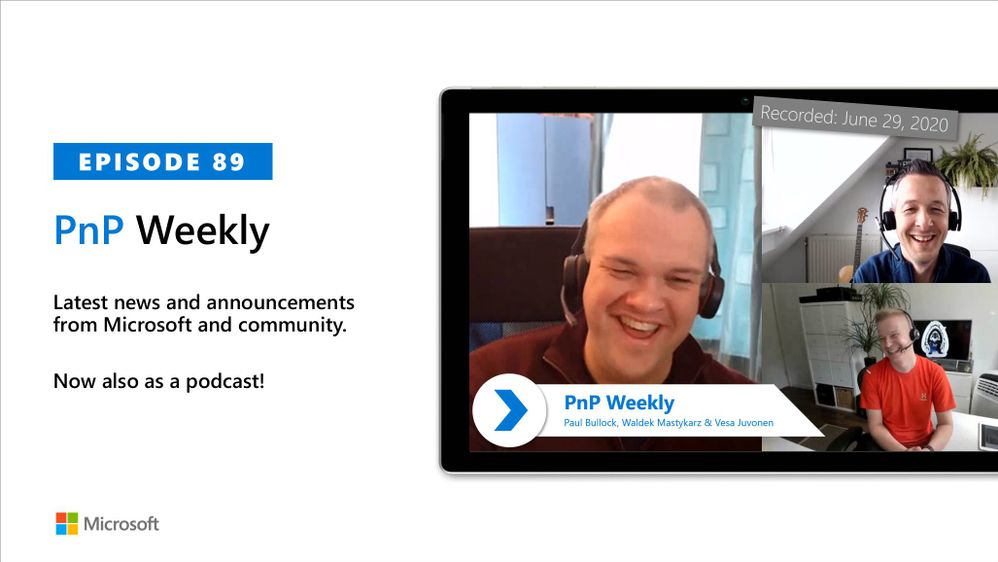
In this weekly discussion of latest news and topics around Microsoft 365, hosts – Vesa Juvonen (Microsoft), Waldek Mastykarz (Rencore), are joined by Paul Bullock – SharePoint Architect and MVP with CaPa Creative located in the UK. Paul is a major contributor to PnP modernization tooling effort which leads to this call’s discussion focus.
- So why would you share your code as open-source?
- When’s a good time to start contributing?
- How do you get plugged into the PnP community?
This session is a great place to start. PnP is not just code, it’s structure, infrastructure, policy, adoption strategies, recognition, networking, the human-side of IT. Open-source is great way to learn from and work with people who are introverts, extroverts, people located near and far with various organization affiliations, customer projects and technical skills that share common passions and a relationship to the PnP community. Additionally, in this episode, 17 recently released articles from Microsoft and the PnP Community are highlighted.
As always, if you need help on an issue, want to share a discovery, or just want to say: “Job well done”, please reach out to Vesa, to Waldek or to your PnP Community.
This episode was recorded on Monday, June 29, 2020.
Did we miss your article? Please use #PnPWeekly hashtag in the Twitter for letting us know the content which you have created.
On March 24th we shared in an announcement in the M365 message center (MC207439) details around temporary adjustments we are making to select capabilities in SharePoint Online and OneDrive.
During these unprecedented times, we are taking steps to ensure that SharePoint Online and OneDrive services remain available and reliable for your users who depend on the service more than ever in remote work scenarios.
Note: These temporary feature adjustments may be in place during business hours in your tenant's region.
Content migration, Data Loss Prevention (DLP), and backup solutions
Many SharePoint Online and OneDrive customers run business-critical applications against the service that run in the background. These include content migration, Data Loss Prevention (DLP), apps that scan the service and backup solutions. In support of the objective to remain highly available, we are moving some operations to regional evening and weekend hours.
Users may observe:
- Migration, DLP and backup solutions may achieve limited throughput during regional weekday daytime hours. During evening and weekend hours for the region, the service will be ready to process a significantly higher volume of requests from background apps.
Please review the relevant best practice guidance, which describes how to get maximize throughput.
File Management
Various background processes to manage new media (images, videos) may now be processed during evening and weekend hours.
Modified processes include:
- Users may experience reduced video resolution for playback videos.
-
Customers who use OneDrive Files On-Demand and choose to “display items by using large thumbnails” in Windows Explorer or Mac Finder will see generic icons instead of thumbnails.
Note: Photo file thumbnails (jpeg, jpg, png, etc) are not affected by this change.
The affected thumbnail types are categorized as the following:
- Video and PDF files: pdf, avi, mp4, mov, mpg, etc.
- Document files with generators: docx, txt, html, etc.
- New extensions likely to be permanently blocked because no thumbnail generator is ever likely to exist: reg|bak|iso|nupkg, etc.
- Files types already blocked today because no generator exists: lnk|xlsx|xls|url|exe|zip|rar|rdp|apprefms|msi|website
There is no workaround, we will continue listening to feedback and iterate on this approach.
Additional Information
We will provide further updates to this post as the situation may change.
Last article update: 07/1/20
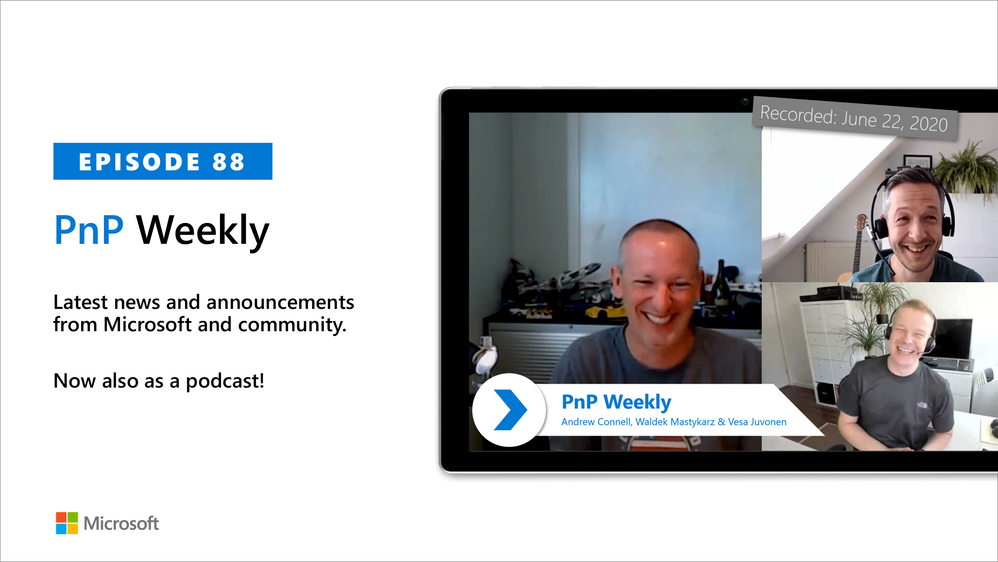
In this weekly discussion of latest news and topics around Microsoft 365, hosts – Vesa Juvonen (Microsoft), Waldek Mastykarz (Rencore), are joined by – Andrew Connell (A.C.) – MVP, Instructor, owner of Voitanos located in Florida, US.
Topics included:
- Andrew’s “Mastering SharePoint Framework” course – a 2-year endeavor that is content complete – well almost.
- Waiting on SPFx v1.11 release.
- Andrew shares his honest opinions on SPFx – capabilities, reliability, completeness, engineering communications, need for functional consistency across apps and tools that encompass more just SharePoint now.
- Discussed using library components or npm packages
- UX components – using Office UI Fabric or Fluent Fabric.
- Additionally, in this episode, 18 recently released articles from Microsoft and the PnP Community are highlighted.
As always, if you need help on an issue, want to share a discovery, or just want to say: “Job well done”, please reach out to Vesa, to Waldek or to your PnP Community.
This episode was recorded on Monday, June 22, 2020
Did we miss your article? Please use #PnPWeekly hashtag in the Twitter for letting us know the content which you have created.
Safely sharing and accessing content is becoming increasingly important as the business world shifts to remote work. Join the OneDrive team on June 30, at 9:00-10:00 AM PT for a free webinar that demonstrates how Microsoft 365, OneDrive and SharePoint help users stay productive, keep your data secure and private, reduce the stress on IT during compliance or litigation issues while giving admins the tools to manage and monitor content.
This session is followed by an “Ask Microsoft Anything” session (10:00-11:00 AM PT), where you can bring your questions and feedback to: https://aka.ms/OneDriveAMA
Find all event details here.







