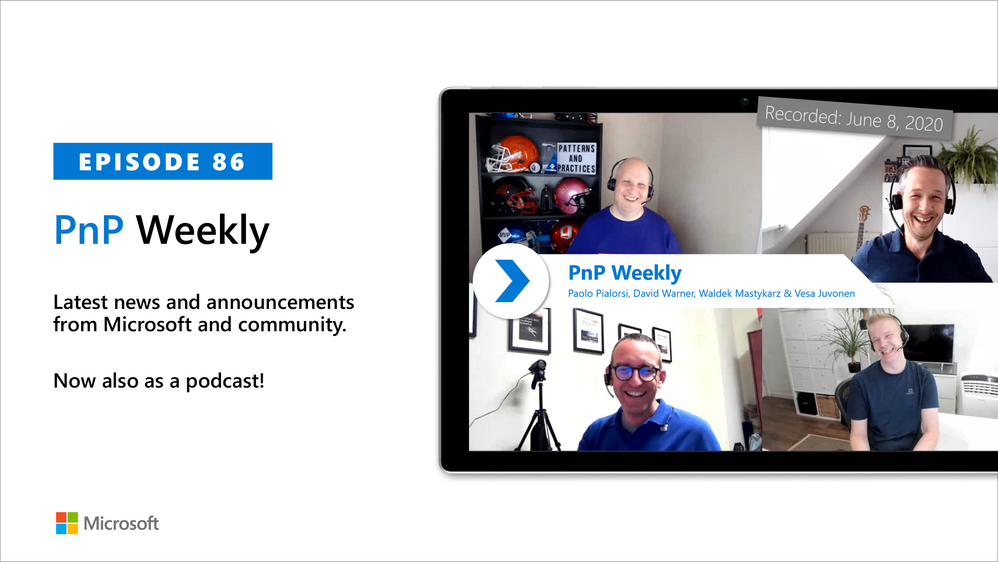
In this weekly discussion of latest news and topics around Microsoft 365, hosts – Vesa Juvonen (Microsoft), Waldek Mastykarz (Rencore), are joined by this week are 2 members of the PnP Team and MVPs – Paolo Pialorsi, Consultant and owner PiaSys, Brescia, Italy, and David Warner, Principal Consultant with Catapult Systems, Los Angeles, US.
The discussion topic for the day: How does the PnP team get so much done? It seems like we do a lot because our work in done in the open. Yes, sharing with the PnP Community is indeed a conscious priority after family.
Discussion takeaways: Caring requires contributors to be consistent, to communicate, to be good time managers, to not be self-critical or perfectionists, to be willing to distribute the load, and to find ways to share in a way that benefits your employer, your client and your community at the same time.
“Shipped is better than perfect”, and any size contribution is a welcome contribution. Sharing is caring. Additionally, in this episode, 15 recently released articles from Microsoft and the PnP Community are highlighted.
As always, if you need help on an issue, want to share a discovery, or just want to say: “Job well done”, please reach out to Vesa, to Waldek or to your PnP Community.
This episode was recorded on Monday, June 8, 2020
Did we miss your article? Please use #PnPWeekly hashtag in the Twitter for letting us know the content which you have created.
When a working on a new confidential project, you need to make sure that collaboration (inside and outside your organization) is secured.
in this short 12 minutes video we walk you through the process of creating new sensitive information type, creating a new sensitivity label, configuring SPO and Teams site as well as configuring an Insider Risk policy.
Attached to this post is the video.
This is the first in a series of videos that we are releasing in order to help our customers understand how they can protect their sensitive information using Microsoft 365 tools.
![eDiscovery for Teams Webinar]()
The Advanced eDiscovery solution in Microsoft 365 builds on the existing eDiscovery and analytics capabilities in Office 365. This new solution, called Advanced eDiscovery, provides an end-to-end workflow to preserve, collect, review, analyze, and export content that’s responsive to your organization’s internal and external investigations. It also lets legal teams manage the entire legal hold notification workflow to communicate with custodians involved in a case.

References:
This webinar was presented on Tue May 14th, 2020, and the recording can be found here.
Attached to this post are:
- The FAQ document that summarizes the questions and answers that came up over the course of both Webinars; and
- A PDF copy of the presentation.
Thanks to those of you who participated during the two sessions and if you haven’t already, don’t forget to check out our resources available on the Tech Community.
Thanks!
@Adam Bell on behalf of the MIP and Compliance CXE team

Around the world in 80 days… come on, Jules Verne. We’ll do it in 5! Let us leave Phileas out in the Fogg as the virtual train (with world-class trainers) is set to whistle away from the station in ~ two weeks’ time.
GlobalCon2 – full steam ahead (soon).
Jeff “Globe Trotter” Teper (CVP, Microsoft) will be giving a keynote that’ll be multi-geographical for sure, plus Microsoft speakers delivering breakout sessions among thought leaders and members of the community from around the world. Review all sessions and start your own globetrotting today.
What: GlobalCon2 to learn more | Get your ticket today
When: June 15-19, 2020 – unique content throughout the week; full agenda
Speaker ambassadors: 37 sessions – all top-notch speakers (MVPs, RDs, Microsoft and community members)
Cost: Free during the week; Paid to get all on-demand + 10 free eBooks + content from the recent Microsoft teams event.
Primary Twitter hashtag: #GlobalCon2 (join in) & follow @Collab365
GlobalCon2 – June 15-19, 2020 (online training)
Each session will be a collectible stamp in your virtual passport. GlobalCon2 has something for everyone in all reaches of the Microsoft 365 world. The world, online, is indeed flat! You’ll find no corner of the map uncharted: Microsoft 365, Microsoft Teams, SharePoint, OneDrive, Yammer, Stream, Power Platform, Azure & much more. Passports please.
Below is a list of the Microsoft sessions – including Jeff’s keynote:
- The latest innovations in SharePoint, OneDrive, and Office for content collaboration [Microsoft keynote] | by Jeff Teper
- Microsoft 365 Live Events and remote work | by Lorena Huang Liu & Christina Torok
- Knowledge and Project Cortex – the Microsoft 365 Vision | by Naomi Moneypenny and Chris McNulty
- Share and track your information with lists across Microsoft 365 | by Lincoln DeMaris
- Design productivity apps with SharePoint lists and libraries, Power Apps, and Power Automate | by Chaks Chandran
- Connect the workplace with engaging, dynamic experiences across your intranet | by Debjani Mitra and Brad McCabe
- Content collaboration with SharePoint, Planner, and Microsoft Teams | by Mark Kashman
- The New Yammer | by Jason Mayans
- Architecting Your Intranet | by Melissa Torres
- OneDrive powers intelligent file experiences across Microsoft 365 | by Randy Wong
- Collaboration and external file sharing across Microsoft 365 | by Ankita Kirti
- Migration to SharePoint, OneDrive, and Microsoft Teams in Microsoft 365, free and easy | by Hani Loza & Eric Warnke
- Security and compliance in SharePoint and OneDrive | by Sesha Mani
- SharePoint developer overview | by Luca Bandinelli
- Jump start your projects with community projects from Patterns and Practices (PnP) | by Vesa Juvonen
Shout out to community “train conductor” members Helen Jones, Mark Jones, and the #GlobalCon2 crew who are navigating this conference by the light of the web-stars and moon, supporting and promoting the knowledge and expertise that reaffirms this: Microsoft 365 has the best tech community in the world – one that spans and chugga-chugga-choo-choos across geographies.
Ready to global trot, Mark 
![eDiscovery for Teams Webinar]()
Collaborated with @Ricky Simpson.
Almost everyone has had their work-life routines interrupted by the COVID-19 pandemic. Many people are working from home for the first time, leaving vast numbers of workplaces sitting empty. It’s vital that organizations continue to protect the resources that reside on-premises. As we’ve seen already, attackers are using COVID-19 to extract information from people by preying on their fears.
Two notable trends have emerged:
First, the necessity of remote work has led organizations to quickly reevaluate how staff access information. They cannot guarantee the efficacy of their users’ home network security, and a big part of how risk was identified before – as a user trying to access resources remotely – is now part of the norm post-pandemic. Organizations must balance the demands of a remote workforce as well as the appropriate security considerations.
Second, IT teams are under enormous amounts of pressure to maintain business continuity and spin up new technologies to enable remote work. A sudden shift in priorities could increase the risk of attacks on on-premises resources going unnoticed, especially if the attacks are more subtle in nature, like network reconnaissance.
How can we continue to monitor risk based on user activity, and how can we continue to protect on-premises resources when we’re nearly all using cloud technologies to work through this period of uncertainty?
Protection with Azure Advanced Threat Protection
As organizations shift to remote work, remote users could be connecting directly to on-premises resources, leaving open connections to corporate assets. Routers without proper and secure configuration are vulnerable. Attackers can take advantage of these and use reconnaissance techniques to, map all the users in the organization, move laterally in search of users and assets to exfiltrate, and ultimately gain persistence in the environment.
Organizations need to strengthen their cloud defense strategy during COVID-19; however, it is important to protect on-premises environments as well. Azure Advanced Threat Protection (Azure ATP) is a cloud-based security solution that leverages on-premises Active Directory (AD) signals to protect on-premises identities, detect and investigate lateral movement of on-premises attacks, and identify compromised identities and malicious insiders.
Azure ATP can identify account enumeration reconnaissance and provide details about the resource being accessed, providing the necessary evidence and data enrichment. The attack can be quickly remediated by changing the user’s password and enforcing multi-factor authentication (MFA) before further damage can be done.
In addition, Azure ATP’s identity security posture assessments recognize common misconfigurations, legacy components, and dormant entities that can expose the organization. For example, Azure ATP identifies dormant accounts that have been disabled or expired in Active Directory. Organizations who fail to secure dormant user accounts are leaving the door unlocked for their sensitive users.
Azure ATP also provides remediation and action plans to improve the organization’s security posture. Now more than ever, when administrators have limited visibility into on-premises apps and services that could introduce new vulnerabilities, it should be top of mind to reduce the attack surface.
For example, a common vector attackers can use to compromise identities are legacy protocols such as NTLMv1. Azure ATP uncovers internal entities and applications that leverage these protocols and helps admins review the impacted entities and take the proper actions, including disabling the protocols.

Attacks play out in phases: discovery, credential access, lateral movement, and persistence. Azure ATP leverages network traffic, trace data, and events to find anomalies quickly, using a combination of behavioral known attack techniques and security signals. This provides visibility at each stage of an attack and clearly outlines the investigation and remediation steps throughout.

During this pandemic we’ve seen organizations deploy Azure ATP on-premises and begin protecting their identities during this pandemic. It’s easy to deploy even in large environments with numerous domain controllers, and it can be done within hours, to provide immediate value and help organizations identify the attacker’s steps.
To protect your on-premises identities, identify attackers, and reduce your attack surface, deploy Azure ATP on all your domain controllers. Throughout these unprecedented times protect hybrid and on-premise environments and ensure users are protected and can successfully work remotely uninterrupted.”
For more information on Azure ATP, please find all documentations here. To begin a trial of Azure ATP, click here. To find out how to set up your Azure ATP instance, click here.
Azure ATP also feeds into Microsoft Threat Protection, Microsoft’s end-to-end experience that integrates and correlates signals from Microsoft 365 security products, including Office 365 ATP, Microsoft Defender ATP, and Microsoft Cloud App Security, responding to attacks and healing affected assets across user identities, endpoints, cloud applications, and email and collaboration tools. Click here to see how SecOps teams can use signals from across Microsoft’s security portfolio to advance their threat protection capabilities.







