On August 1, we announced the general availability of Microsoft Power Automate Process Mining. Today, we’re excited to announce the availability of new Copilot capabilities in Power Automate Process Mining (in limited preview—US only). You can try it for free with a Power Automate trial license.
We are excited to announce that we are currently rolling out a new feature called SharePoint News for Email. This feature enables you to convert your SharePoint News Posts intro distributions that can be read fully in email inboxes. You can now engage your audience directly in their inbox and track their mail reads.
 Four pictures – showing the news article in SharePoint – sending email feature – news in the email client – statistics for the view
To create a News post for email, select a “Made for email” template from the news template picker:
 Selection of the templates for new news article – showing the email ready templates.
When you are finished authoring, you can now post your news and send it fully to email in one step.
 SharePoint News visible in the SharePoint portal and in the email client.
Sending a page as an email will not change existing site permissions, and sending a page as an email will not give your recipients access to the original page if they don’t already have it. You can think of sending mail by email as making someone a photocopy of a page in a book. They can read that page, but nothing else in the book.
Live video demo on the feature.
Frequently asked questions
When will this happen?
This update will roll out to Targeted Release customers starting August 2023, and to all customers by the end of September.
This message is associated with Microsoft 365 Roadmap ID 124803.
How will this impact your organization?
Authors of SharePoint News will now be able to send news posts as emails.
What you need to do to prepare?
You do not need to do anything to prepare for this update, but you may want to let your users know about this improvement.
Will the view counter for news include the email views?
Yes. View counters for your news articles will include also views of the news article through the email client.
Resources
Thanks for reading. Please let us know any feedback or questions in the comments and we’ll get back to you :thumbs_up::rocket::1st_place_medal:
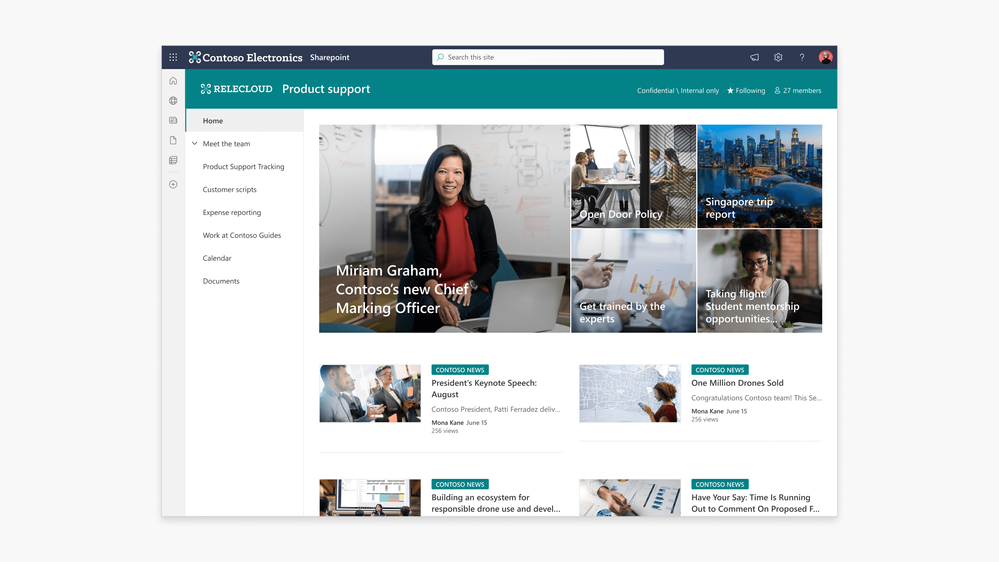
We’re excited to announce that our UI kit has been updated with some great new additions! The goal of this update is to help you design a broader selection of SharePoint sites and pages quickly and easily.
The new update includes:
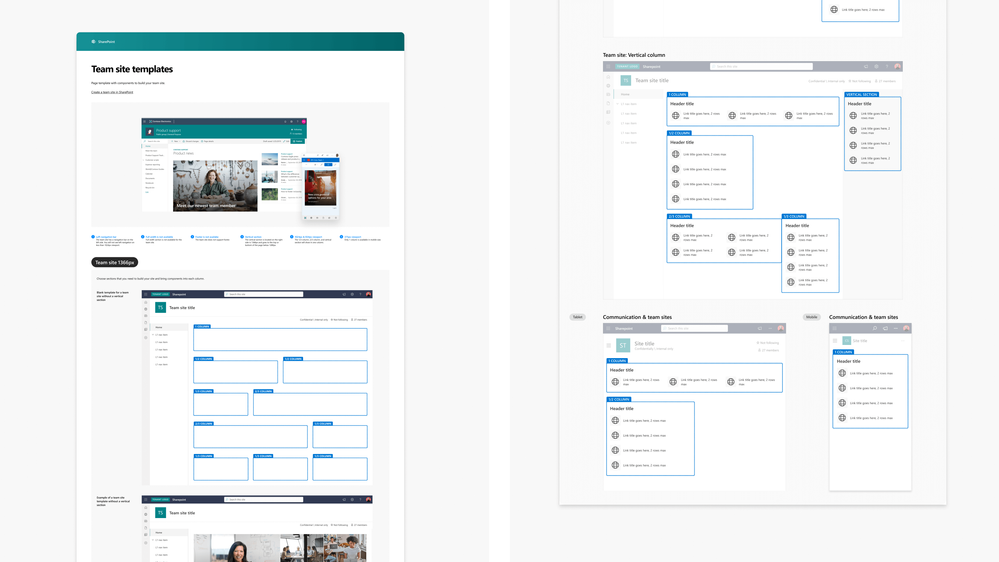
1. Team site navigation and page layouts
Team sites are an important part of the SharePoint experience and we wanted to provide them as soon as possible. You can now design communication, team, and hub sites.
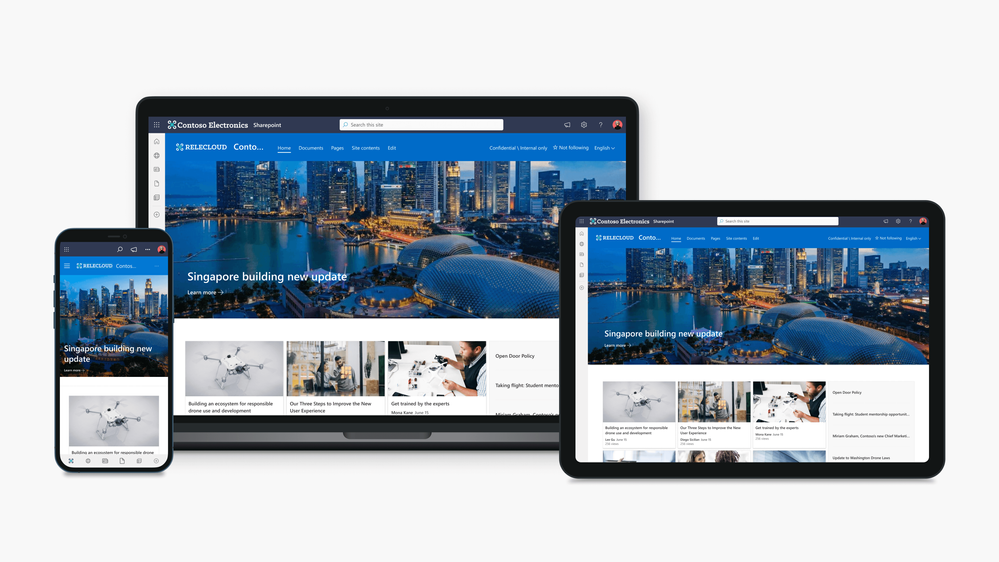
2. Smaller viewports for tablet and mobile
We understand that not all SharePoint users are viewing the site on desktop devices. We’ve made it easier to visualize a site at different sizes with new templates and layouts, updated web parts, and guidance for smaller devices.
 3. Updated guidance for web parts
We have updated the guidance across the SharePoint Web UI kit to reflect the additions of team site navigation and smaller view ports including tablet and mobile.
Why use the Figma SharePoint Web UI kit?
Figma is a subscription-based application that is the industry standard tool for web design. It provides an alternative to designing sites and pages outside of SharePoint. Figma does not build the pages in SharePoint, so once you finalize a design in Figma, you will need to build it in SharePoint. You should evaluate if Figma is the right solution for mocking up sites and pages for SharePoint.
Design without organizational limitations
This UI kit provides SharePoint users with another tool in their toolbox. While building a page in SharePoint is easy, we wanted to provide the ability to mockup sites and pages. It allows you to explore different design options for your site without the limitation of admin privileges and tenant restrictions and doesn’t expose organization data.
Figma mockups provide a quick snapshot of SharePoint updates which business stakeholders can use to plan and make decisions. They can provide appropriate requirements and use this UI kit in collaboration with their design team to iterate in the life cycle of your organization’s intranet.
Share designs with ease
This UI kit provides you with page layouts and a selection of web parts to allow you to mockup and share new ideas across organizations and companies. Figma gives you the flexibility of reviewing and sharing your designs without having to spend time and resources creating it in SharePoint. Figma also allows you to download your designs into easy-to-use formats that can be used in documentation and presentations.
Learn more at: https://www.figma.com/
To get started with our updated UI kit, simply download the latest version from the Figma Microsoft Community website: SharePoint Web UI Kit – Figma.
Community feedback:
Please tell us what’s missing, what doesn’t work for you, and where your biggest challenges are by leaving a comment on the Figma SharePoint Web UI kit page or by visiting the SharePoint Community.
We hope you enjoy our latest update and look forward to seeing what you create with it!
Public preview of Power Automate integration with Azure Application Insights to enable customers to diagnose and monitor their cloud flow telemetry with the best-in-class APM offering from Azure
Power Automate for desktop comes with new additions in 2023 August’s release, including the introduction of a new logging action, a new setting to disable uploading error screenshots, and the ability to edit certain variable values during debugging.
Ashley Francis is a Certified Public Accountant (CPA) with The Francis Group practice in Seattle. This story explores Ashley’s passion for Power Platform and how Power Automate with generative AI capabilities helped her quickly create sophisticated automations that significantly . She also is giving back to her accounting community by teaching others how AI and automation can help transform their practices.
For the third consecutive year, Microsoft has been named a Leader in the Gartner® Magic Quadrant™ for Robotic Process Automation. This year Microsoft is positioned furthest in Completeness of Vision.







