Last month at Ignite, we announced a set of collaboration capabilities across Power Platform. Today, we are excited to announce even more features within commenting on Power Automate. Now, you can at-mention your co-workers in your comments and have others receive email notifications when you do so.
Power Automate for desktop comes with new features in December 2021 release, including the unified recorder, the tenant picker, the ability to create copies of flows from the console, as well as multiple improvements over many different actions.
Building fast, fluid Microsoft 365 web applications is one of our core focus areas on the SharePoint engineering team. Over the course of this year, we’ve double-downed on performance – making our web apps load faster, delivering up to a 57% improvement in page interactivity, along with the ability to work with data offline. We’re pleased to announce we’ve reached general availability for Microsoft Lists customers. The focus of this article is to share how it all works and how we went about designing and developing it.
We’re pleased to announce that we’ve reached general availability for Microsoft Lists: Fast and offline.
And we didn’t stop there. Our ambition is to deliver experiences that are consistently fast for every user on all kinds of networks and devices – even when there is no connection to the Internet. To help us accomplish this, we looked beyond the fundamentals to unlock new levels of web performance and enable new ways for our customers to experience Microsoft 365 web applications. We do this by blending Progressive Web Apps (PWAs) and expanding Project Nucleus.
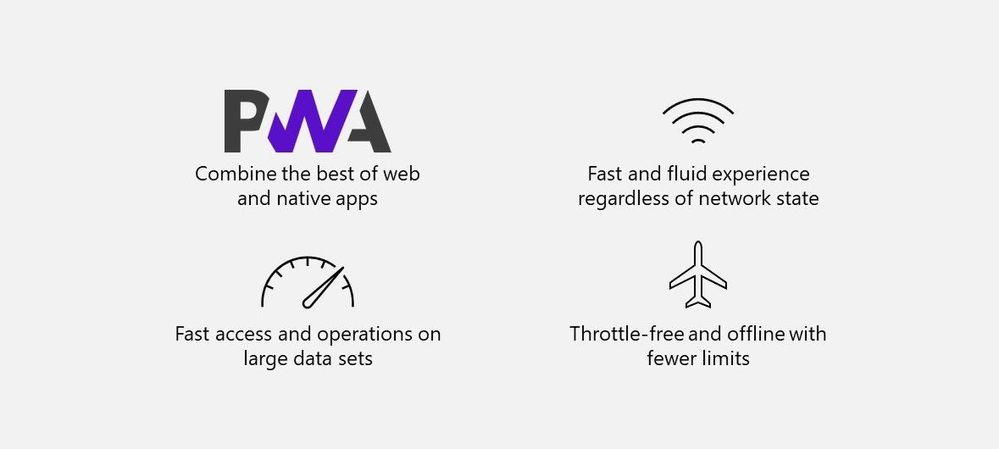 The combination of Progressive Web Apps (PWAs) and the expansion of Project Nucleus enables faster Web applications – even when offline.
Transforming Microsoft 365 apps into PWAs
As part of our ongoing effort to improve performance and design new experiences, we began transforming our web applications into Progressive Web Apps (PWAs) starting with Microsoft Lists and OneDrive.
 Install Microsoft Lists as a Progressive Web Apps (PWA) from your browser.
PWAs allow us to provide access to open web technologies for cross-platform interoperability. And in turn, you get an app-like experience customized for your devices. They are websites progressively enhanced to function like installed apps. PWAs allow us to combine the best of the web and native apps, like websites with app features: The ability to load offline, run within the local operating system, support push notifications and periodic background updates, access hardware features, and more.
When installed, PWAs are just like other apps on Windows. They can be added to the Start Menu, pinned to the Taskbar, work with files, run on user login, and more.
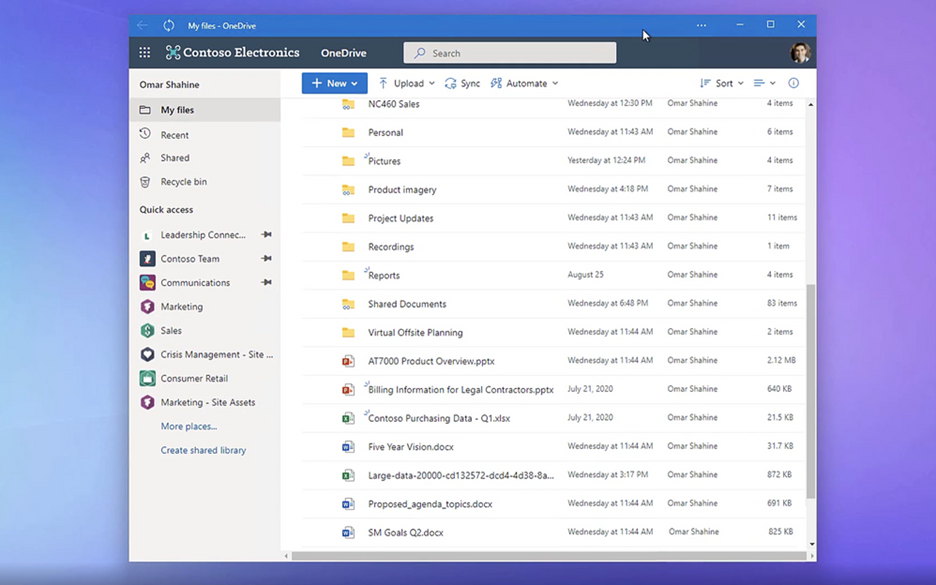 OneDrive as a PWA running on the Windows desktop.
To build web experiences that load and function offline – including support for editing – we had to look beyond PWAs. Enter Project Nucleus.
It all started as ‘Project Nucleus’
Project Nucleus was the codename behind our initiative of building a new client-side component to supercharge existing web apps, like Microsoft Lists, by providing a consistently fast and smooth experience on all kinds of devices and networks – again, even working when offline.
By leveraging local storage for fast data retrieval, it also enables our customers to seamlessly work with large and complex datasets made available through our web apps, like Lists with hundreds or thousands of rows. Operations on web app data, like sort and filter, are blazing fast because they occur on the local device. All offline changes synchronize back to the cloud once reconnected to the Internet.
Behind Project Nucleus is Microsoft.SharePoint.exe, a new component delivered alongside OneDrive sync – leveraging the existing OneDrive install and update mechanism. Once installed, it links with the web app by making a smart cache of web app data on the local device. It then acts as a local web server by pulling and pushing data to and from that local cache, instead of the web app always retrieving it from the cloud. This enables offline editing; changes to content occur within the local cache first and then get pushed to the cloud once connection is restored. The result helps save on network bandwidth and eliminate bottlenecks, too.
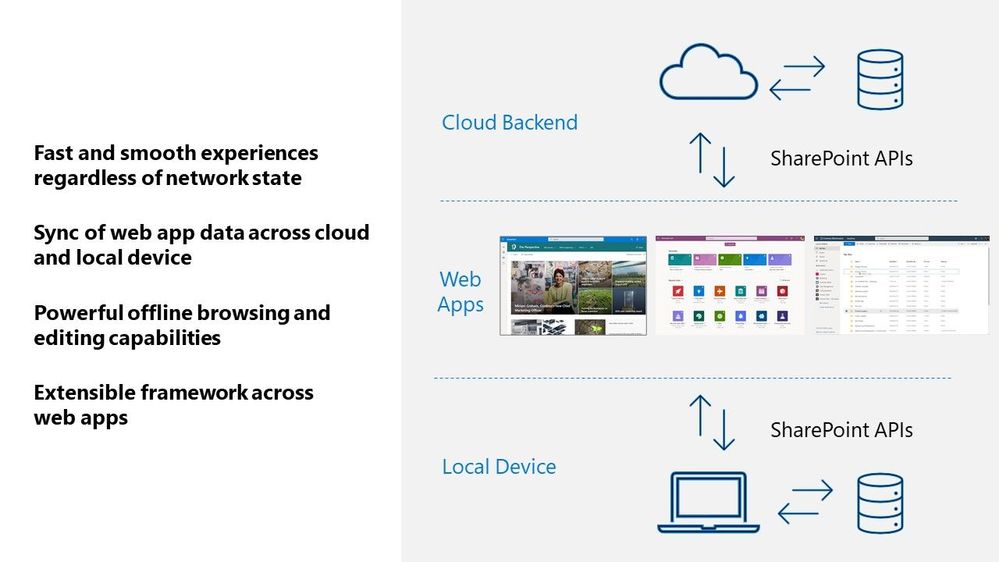 A visual diagram showing how web apps interact across your local Windows device and cloud services in Microsoft 365.
Microsoft Lists is our first web application that leverages these new capabilities. First, it means you can load the Lists app to view and edit list data whether your online or offline. Second, loading and interacting with lists gets supercharged in all modalities. Finally, views inside synced lists never get throttled – regardless of the number of items in the view or whether those columns are indexed.
 New Lists indicators show when your items are being save to your device (offline; as shown above), when the list is synchronizing, and when all is up to date (synced).
Moving forward…
In short, your lists are always on, lightning fast, and less impacted by service-imposed limitations. This is where we start, and we plan to bring these benefits to other web apps over time. Stay tuned – online or offline – for future updates in this space.
Learn more about Progressive Web Apps, including ‘how to’ information for end users. Review all Microsoft Lists new from Microsoft Ignite – including the general availability announcement for Microsoft Lists: Fast and offline [Roadmap ID: 68809]. We have a new end-user ‘how to’ edit lists offline. And admins can review policies to control Lists sync settings.
Take a peek at the technology in action from the related Microsoft Ignite session, “What’s new with Microsoft Lists” (published on November 2nd, 2021 – jump to 13:30 to see the “Fast and offline access to list data” segment):
Thanks for your time to learn more, Andrey Esipov – Principal program manager, Microsoft

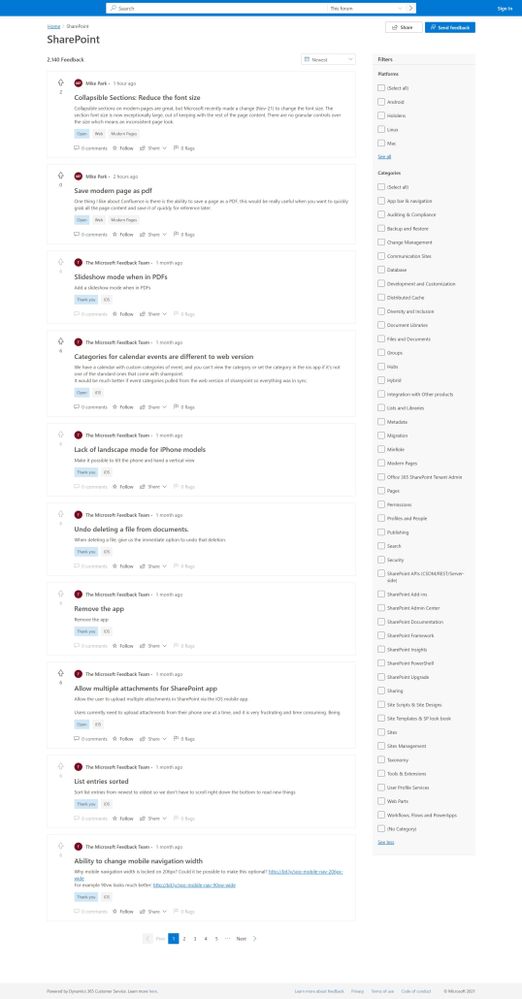
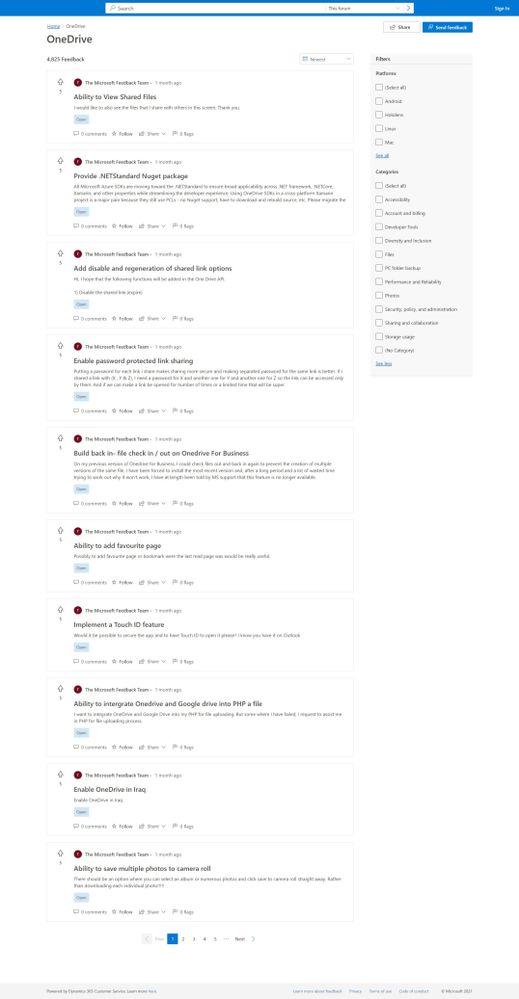
Over the years, we have enjoyed getting your feedback through SharePoint UserVoice. We’ve been hard at work on the replacement solution, one that carries forward past submissions and evolves for feedback going forward. Today, we are happy to announce support the Microsoft Feedback portal. It’s in preview and ready for your feature ideas and feedback for OneDrive and SharePoint.
The Feedback portal is built on Dynamics 365 Customer Service and is a central location for numerous Microsoft products. You can give feedback for Teams, SharePoint, OneDrive, Yammer, Microsoft Stream, Microsoft Viva, and more. Our primary goal is to advance the development of our products and services, guided by your input.
The Feedback portal allows people to submit their own feedback, browse other ideas, track official Microsoft responses, view top voted customer ideas, upvote the feedback they agree with, and comment on ideas throughout.
In Feedback, users will also be able to easily track their favorite ideas through the ‘star’ icon and receive notifications when those ideas are responded to by Microsoft.
Explore the new Feedback portal segments for OneDrive and SharePoint at:
We appreciate all the suggestions, ideas, feedback, and details you share with us, all the ways that make this the best community in technology – with open dialog and two-way engagement.
Learn more about Feedback at Microsoft.
Thank you and let us know what you’re thinking.
We are dramatically raising the Power platform daily request volume throttles that have existed for Power Apps, Power Automate, Power Virtual Agents, and Dynamics 365 users, and, enabling pay-as-you-go for overages.

The Microsoft 365 Collaboration Conference offers five in-person Microsoft keynotes from Scott Guthrie, Jeff Teper, Karuana Gatimu, Charles Lamanna, and Dan Holme.
- What: Microsoft 365 Collaboration Conference to learn more
- When & where: December 7-9, 2021 | In-person event – Las Vegas, Nevada – MGM Grand
- Sessions: 4 Microsoft keynotes || 200+ overall sessions | 20 full-day workshops
- Presenters: 150+ speakers | Microsoft, MVPs, and community members
- Twitter & hashtag: @M365CONF | #M365CONF
- Cost: $1,749 full conference (additional costs for full-day workshops) – learn more
“Innovation, customer success, and category leadership is only possible because of the support of the best community in tech. Your engagement at events around the world and feedback to us has inspired all of us to do our best work.” – Jeff Teper, Corporate Vice President, Teams, SharePoint, and OneDrive – Microsoft
Join Microsoft and community experts in person in one place. The Microsoft 365 Collaboration Conference returns to Las Vegas, NV, December 7-9, 2021. It’s dedicated to SharePoint, Teams, Viva, Power Platform, and related technologies. You’ll hear the latest news and roadmap from top industry experts, filled with real-world solutions across keynotes, sessions, and pre/post event deep-dive workshops to build your expertise – presented by Microsoft product team members, Microsoft MVPs, and community experts. We hope you join in to learn, share, and engage.
Microsoft keynotes, sessions, and workshops: SharePoint, Viva, OneDrive, and related technology
Microsoft keynotes
Hear from Microsoft leadership revealing the latest innovations shaping the flexible, innovative, and secure business environments of the future. [all times listed in PST]
- “Innovate anywhere from multicloud to edge” with Scott Guthrie – EVP, Cloud + AI Platform | Tuesday, December 7th, 8:00am – 9:15am
- “Embracing the hybrid workplace – progress and plans for Microsoft Teams, OneDrive, and SharePoint” with Jeff Teper – CVP, OneDrive, SharePoint, and Teams | Tuesday, December 7th, 9:30am – 10:45am
- “Build a hyperconnected business” with Charles Lamanna – CVP, Business Applications & Platform | Wednesday, December 8th, 8:00am – 9:00am
- “Culture and communications for hybrid work” with Karuana Gatimu – Principal Manager, Customer Advocacy Group (Microsoft Teams) and Dan Holme – Principal Product Manager Lead (Yammer) | Thursday, December 9th, 8:00am – 9:00am
- “Media and entertainment panel discussion” with Simon Crownshaw, George Howell, Jonathan Silverstein, and Zoiner Tejada | Thursday, December 9th, 2:00pm – 3:00pm
Microsoft AMA and breakout sessions [45-60 minutes; all times listed in PST]
Take the opportunity to select the sessions best suited for your role and interests. All breakouts are packed with news, demos, customer stories, and insights into product and solution strategy. You can review all sessions with a subset of Microsoft-led sessions listed below:
“Microsoft AMA” with Jeff Teper, Cathy Dew, Chris McNulty, Dan Holme, Karuana Gatimu, Laurie Pottmeyer, Liz Sundet, Mark Kashman, Naomi Moneypenny, and Stephen Rose | Wednesday, December 8th, 9:15am – 10:00am PST
Microsoft Viva and SharePoint Syntex [sessions]
SharePoint, OneDrive, Lists, Office, and related technology [sessions]
Microsoft Teams [sessions]
Power Platform [sessions]
Lightning sessions (25 minutes)
Full-day, Microsoft-led workshops [all times listed in PST]
The learning and skilling continues, on your own time. Take a deep dive into technology to help refine your practices and bring learnings back to your team and organization to extend the application and use of your Microsoft 365 investment. All Microsoft 365 Collaboration Conference workshops either take place pre-event on Sunday (Dec.5) or Monday (Dec.6) or post-event on Friday (Dec.10).
- “Go further with Microsoft Lists” with Mark Kashman – senior product manager (SharePoint/Lists) | Sunday, December 5th, 9:00am – 4:00pm
- “Microsoft Viva: Fundamentals for deployment and adoption” with team members from Avanade: Anthony Molisani, Austin Govella, Jill Hannemann, Michelle Boyd, Michelle Caldwell, Stephanie Meyer, and Tiffany Songvilay, plus introduction and Q&A with Microsoft: Chris McNulty, Liz Sundet, and Naomi Moneypenny | Monday, December 6th, 9:00am – 4:00pm
- “Building solutions for Microsoft Teams and SharePoint – PowerClass” with Hugo Bernier, Beau Cameron, Chris Kent, David Warner, Julie Turner, and Marc D. Anderson | Monday, December 6th, 9:00am – 4:00pm
- “Level up: Unlock your career and personal skills” with Cathy Dew and Liz Sundet | Friday, December 10th, 8:00am – 3:00pm
- “It’s time to get started with BOTS in Microsoft 365” with Bob German and Mark Rackley | Friday, December 10th, 9:00am – 4:00pm
Conference Health Protocols from the Microsoft 365 Collaboration Conference event team
“The Microsoft 365 Collaboration Conference is creating a safer space for you, please note Las Vegas is doing the same, requiring masks at all hotels and conference areas and proof of Covid-19 vaccinations at some concerts, sporting events, and conferences. In accordance with these local requirements, we will require that all attendees, staff, and speakers at the December conference provide proof of vaccination at registration via digital or paper vaccination card or a negative Covid-19 test within 72 hours.”
 Microsoft 365 Collaboration Conference speakers and attendees must provide proof of vaccination at registration via digital or paper vaccination card or a negative Covid-19 test within 72 hours.
Learn more
Visit M365Conf.com and follow the action on @Twitter: @M365CONF, @SharePoint, @OneDrive, @MSPowerPlat, and @MicrosoftTeams.
Cheers,
Mark Kashman, senior product manager – Microsoft