New connectors through the Independent Publisher connector program
As part of the new Independent Publisher connector program, you can view and use connectors to the following services including Airtable, HubSpot Marketing, and many more!

As part of the new Independent Publisher connector program, you can view and use connectors to the following services including Airtable, HubSpot Marketing, and many more!
As part of the new Independent Publisher connector program, you can view and use connectors to the following services including Airtable, HubSpot Marketing, and many more!
Through the Independent Publisher connector program, anyone can now publish a connector to the Power Platform! The mission of this program is to bring the best together. The best people, connecting great ideas to data, apps, and flows.
Through the Independent Publisher connector program, anyone can now publish a connector to the Power Platform! The mission of this program is to bring the best together. The best people, connecting great ideas to data, apps, and flows.

Microsoft Teams is the hub for team collaboration that integrates, people, files, and content effectively in a single place.
There are multiple scenarios for using Teams for efficient & faster communication within your organization. These include brainstorming business decisions with your team, one on one conversations with colleagues, sharing quick updates, and planning & tracking work items with a broader group. Basically, any time you want to collaborate & make fast decisions, Teams is a great tool.
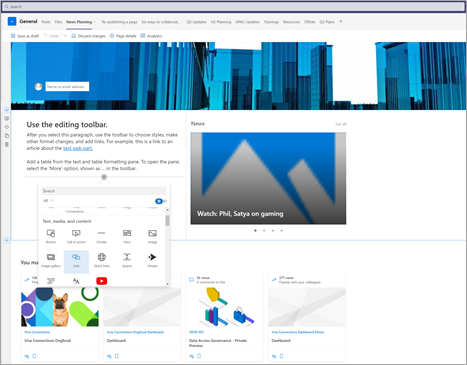
With the rollout of editing of SharePoint Pages in Teams, we make it easier for you to manage your SharePoint pages & news posts within Teams! When you add an existing modern SharePoint page or news post as a tab in a Microsoft Teams channel now you can edit it without leaving Teams. We have also made it easier to stay in Teams by enabling people viewing the page or post to navigate using SharePoint links right within Teams.

| As a page author you will now be able to add or edit content, images & any other web part. |
|
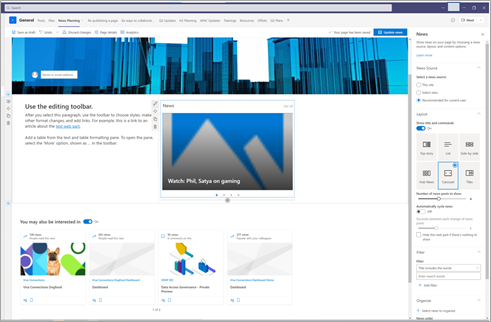
| Page authors will be able to update any web part settings in the web part property pane like you would do in SharePoint.
|
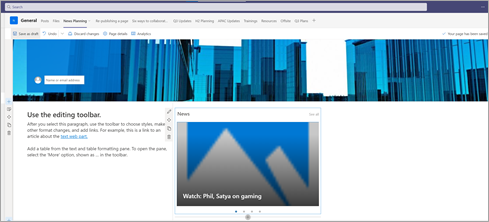
It is now easy for page authors to save & publish the edited pages within Teams. |
|
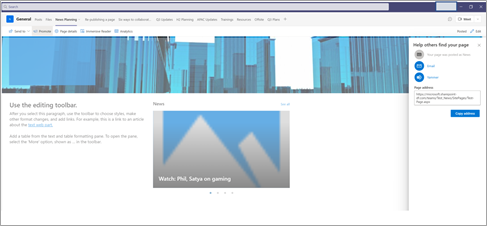
| You can also promote your news articles in email and Yammer.
|
We are excited about bringing editing capabilities for your SharePoint Pages within Teams. Putting this capability in your hands wherever you work will unlock new collaboration and enable more scenarios. We look forward to gathering more feedback as you begin to edit your pages in Teams.
Have some ideas on what feature you want to see on page canvas or where the new page authoring entry points should be? Let us know in the comments.
We are thrilled to end the month of June with seven new connectors. These connectors provide solutions for sending Adaptative Cards, using CPQ software, and improving IT, Finance, and HR processes. To know more, check them out in this post.
We are thrilled to end the month of June with seven new connectors. These connectors provide solutions for sending Adaptative Cards, using CPQ software, and improving IT, Finance, and HR processes. To know more, check them out in this post.
We are excited to announce the general availability of several AI Builder capabilities, new additions which will improve our document automation capabilities, as well as some language and geographic coverage extensions.
We are excited to announce the general availability of several AI Builder capabilities, new additions which will improve our document automation capabilities, as well as some language and geographic coverage extensions.
Power Automate trials are getting better support for both attended and unattended scenarios.