![Trainable classifier auto-labeling with sensitivity labels webinar]()
This classification method is particularly well suited to content that isn’t easily identified by either the manual or automated pattern matching methods. This method of classification is more about training a classifier to identify an item based on what the item is, not by elements that are in the item (pattern matching). A classifier learns how to identify a type of content by looking at hundreds of examples of the content you’re interested in classifying

References:
This webinar was presented on Tue Mar 17th 2020, and the recording can be found here.
Attached to this post are:
- The FAQ document that summarizes the questions and answers that came up over the course of both Webinars; and
- A PDF copy of the presentation.
Thanks to those of you who participated during the two sessions and if you haven’t already, don’t forget to check out our resources available on the Tech Community.
Thanks!
@Adam Bell on behalf of the MIP and Compliance CXE team
![Trainable classifier auto-labeling with sensitivity labels webinar]()
Insider risk management is a solution in Microsoft 365 that helps minimize internal risks by enabling you to detect, investigate, and take action on risky activities in your organization.
Communication compliance is part of the new insider risk solution set in Microsoft 365 that helps minimize communication risks by helping you detect, capture, and take remediation actions for inappropriate messages in your organization.

References:
This webinar was presented on Tue Mar 10th 2020, and the recording can be found here.
Attached to this post are:
- The FAQ document that summarizes the questions and answers that came up over the course of both Webinars; and
- A PDF copy of the presentation.
Thanks to those of you who participated during the two sessions and if you haven’t already, don’t forget to check out our resources available on the Tech Community.
Thanks!
@Adam Bell on behalf of the MIP and Compliance CXE team
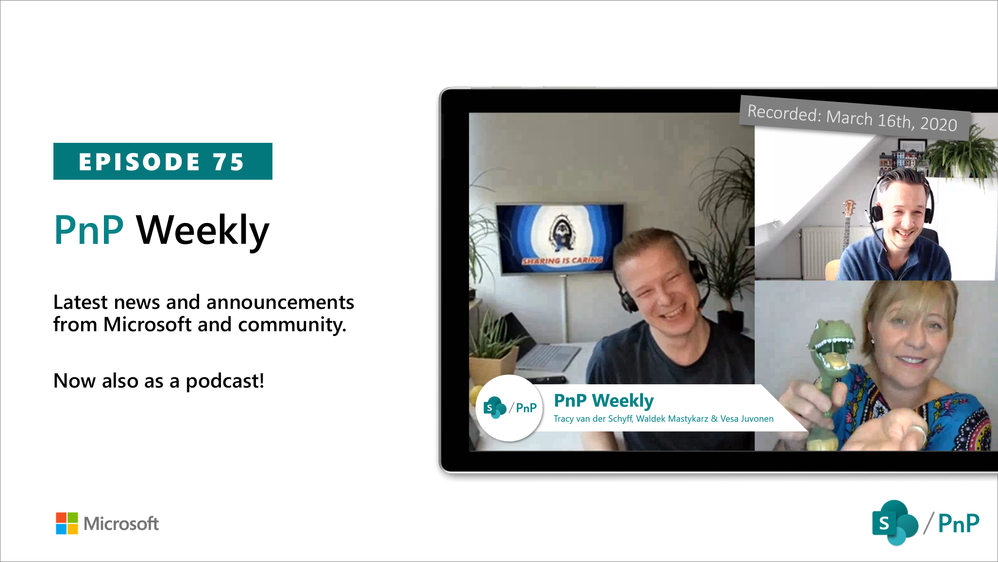
This week, Vesa and Waldek are joined by Tracy van der Schyff – Microsoft Office 365 Service and Services MVP, learner, keynote speaker, story teller and blogger focused on explaining technology in simple terms, change management and adoption, residing in South Africa.
Did we mention: Tracy is a prolific blogger? Tracy’s idea of March Madness is 31 days of blogging about Power Platform. Then there is her Office 365 learning journey – 365 posts in 365 days. A full index of Tracy’s posts can be found here.
Tracy’s Quotes:
- “If you have to wait until you are an expert to share your learning journey, you would never have anything to say.”
- “People can learn from how you learn.”
- “Force yourself to learn everyday.”
- “Easier to teach a business person a tech skill than to teach a teckie a business process.”
- “Do things right even when doing small things. Because small projects can become large projects.”
- “Products don’t fix problems, people fix problems with products.”
- “Many people need to learn what we have already forgotten.”
- “Try and document”
This episode was recorded on Monday, March 16, 2020
Got feedback, ideas, other input – please do let us know!
![Trainable classifier auto-labeling with sensitivity labels webinar]()
As part of this preview, the Microsoft 365 Compliance Center will allow you to create sensitivity labels and corresponding automatic or recommended labeling policies in Office apps using built-in classifiers.
The six built-in classifiers that are available as part of this preview are:
- Resume: detects written accounts of an applicant’s personal, educational, and professional qualifications and experience
- Source code: detects a set of instructions and statements written in the top 25 computer programming languages of GitHub
- Offensive language: detects text items that contain profanities, slurs, taunts, and disguised expressions (expressions that have the same meaning as more offensive terms)
- Threat: detects a specific category of offensive language related to threat to commit violence or do physical harm/damage to a person/property.
- Harassment: detects a specific category of offensive language related to offensive conduct targeting one or multiple individuals regarding race, color, religion, national origin, gender, sexual orientation, age, disability and genetic information.
- Profanity: detects a specific category of offensive language that contains swear words or vulgar language.

References:
Thanks to those of you who participated in our previews so far. If you haven’t already, don’t forget to check out our preview programs page and our resources available on the Tech Community.
Thanks!
Written by @Nir Hendler , posted by @Adam Bell on behalf of the MIP and Compliance CXE team
![Trainable classifier auto-labeling with sensitivity labels webinar]()
Auto classification for Sensitivity labels in OneDrive for business, SharePoint, and Exchange Online helps you automatically label or tag content as sensitive to ensure the configured protections are applied.
Similar to manual labeling, an administrator can create sensitivity labels and policies to label content based on defined policies or rules. Auto classification varies from manual labeling in that the label occurs within the service, for example SharePoint Online, instead of the user labeling the content.
Additionally, before you publish an auto classification policy – wouldn’t it be great if you knew exactly what files and how many would be affected by your new configuration? This is where the new policy simulation feature will help. Before you enable a policy in your tenant, simulation mode allows you to validate your policy, and tune it further if the results are not quite as expected. The simulation can then be run again to check your update. You can rinse and repeat this process until you’re happy with the results. The ability to safely validate your approach without negatively impacting your environment and end users is critical and should help ease adoption.

References:
Thanks to those of you who participated in our previews so far. If you haven’t already, don’t forget to check out our preview programs page and our resources available on the Tech Community.
Thanks!
Written by @Nir Hendler , posted by @Adam Bell on behalf of the MIP and Compliance CXE team







