
Was asked today – is there anyway to remove Mysites en-mass in SharePoint 2010?
Yes, because I’ve written a free tool available for download that works using the following parameters:
-a Create file for ALL sites within the chosen collection
-d Create file for sites within the chosen collection that have been modified in the last day.
-w Create file for sites within the chosen collection that have been modified in the last week.
-n Lock State is None
-x Lock State is NoAdditions
-y Lock State is ReadOnly
-z Lock State is NoAccess
-u URL of the Site Collection whose subsites you want to lockdown
(more…)
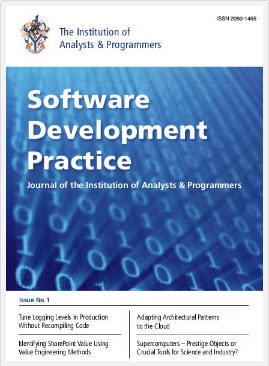
I’d like to bring to your attention to a great journal called the ‘Software Development Practice’ of which I am an Editorial Board member. This journals readership is worldwide and run by the Institute of Analysts and Programmers (IAP).
Am making a call to for article submission to the Software Development Journal. For more information:
The Institute of Analysts and Programmers is located here: http://www.iap.org.uk/main/
Software Development Practice Journal, is located here: http://software-development-practice.iap.org.uk/welcome
Information concerning article submission is located here: http://software-development-practice.iap.org.uk/submitting-articles/
If you are keen to submit articles to the Journal, please contact me.
I’ve been getting quite a few calls from customers who are in the process of taking SharePoint 2013, who are currently SharePoint 2010 users and quite rightly concerned about what functionality is not available in SharePoint 2013.
(more…)
Hi Folks,
For some time now I put down the SharePoint automates pen, but, seeing as 2013 is definitely out I thought, hey lets upgrade and develop all the tools and release new ones in my ‘suite’. GEPDOCPERMS is a new utility, one of my favourites, it’s a free download and it is available for SharePoint 2013. GEPDOCPERMS is a utility that will list document libraries from all or a specific SharePoint site, with the ability to show the permissions set against documents, the ability to list the email enabled document libraries, the ability to list permissions against a specific individual. The output of this utility is TEXT, however, further releases will include the ability to write to XML and HTML.
(more…)

Last week, I attended a great Microsoft session concerning Compliance and Data Protection across the Office products, focusing on Archiving, Retention / Hold, Discovery and Data Loss Protection concerning compliance in 2013 products. I mentioned that I have clients who are interested in Office 365 but need some comfort concerning compliance, and queried if there was further information available. Was informed that there was a document available that described this which I must share with you all.
This document covers topics such as Office 365 Built in Security, like monitoring, isolation, automated operations, secure network and encrypted data. It describes security best practice, and the customer controls. It talks about how compliance is enabled through DPL, audit and retention, eDiscovery and Data spillage. It also describes the standards of compliance met, like ISO 27001, FISMA, HIPAA BAA, EU Model Clauses, and the CSA (Cloud Security Alliance).
If you are embarking on SharePoint migration to Office 365, or having a hybrid operation with on-premise SharePoint and Office 365, I would recommend reading this paper, as it will give you valuable information proving to the customer that Office 365 includes security features, protects data and provides administrators with the ability to configure, integrate and manage security.
To give you a taster, here’s the intro:
The ability for organizations to control and customize security features in cloud-based productivity services, such as email, calendars, content management, collaboration, and unified communications, is becoming an essential requirement for virtually every company. Today, IT teams are being required to deliver access to productivity services and associated documents and data from more devices, platforms, and places than ever before. While user benefits are undeniable, broader access makes security management more challenging. Each endpoint represents a potential attack surface and another point of management for security professionals. At the same time, organizations face ever-evolving threats from around the world and must manage the risk created by their own users accidentally losing or compromising sensitive data. For these reasons, organizations require a cloud service that has both (a) built-in robust security features and (b) a wide variety of customizable security features that organizations can tune to meet their individual requirements. Organizations expanding remote access while maintaining security best practices may find it difficult and expensive to add this combination of security functionality if they deploy productivity services solely on-premises.
You can download the article from here:
http://www.geoffevelyn.com/downloads/Security-in-Office-365-Whitepaper.pdf
And from here:
http://www.microsoft.com/en-us/download/details.aspx?id=26552







