![Microsoft Graph Security API add-on is now available for Splunk Cloud!]()
The Microsoft Graph Security API add-on for Splunk is now supported on Splunk Cloud, in addition to Splunk Enterprise, and includes support for Python 3.0. The support is enabled as an enhancement to the Microsoft Graph Security API add-on for Splunk released last year. Refer to the Microsoft Graph Security API add-on for Splunk announcement blogpost for further details. This add-on enables customers to easily integrate security alerts and insights from their security products, services, and partners in Splunk. The Splunk add-on is built by Microsoft, certified by Splunk, and is available on Splunkbase at no additional cost.
This add-on, powered by the Microsoft Graph Security API, supports streaming of alerts from different Microsoft solutions like Microsoft Defender ATP, Azure Sentinel, Azure Security Center, and more into Splunk using a single add-on and common schema, enabling easier correlation of data across these products.
Note: If you have an earlier version of the Microsoft Graph Security API add-on installed on Splunk Enterprise, and upgrade to this version, please follow the upgrade guidance to reconfigure your inputs.
Getting Started
Choose one of these options depending on your scenario.
Scenario: New Installations on Splunk Cloud or Splunk Enterprise
Follow these steps to install and configure this app as a first-time add-on user. Refer to the documentation for more details.
- Register your application for this Splunk add-on on Azure portal.
- Configure permissions and be sure to add the SecurityEvents.Read.All permission to your application. Get your Azure AD tenant administrator to grant tenant administrator consent to your application. This is a one-time activity unless permissions change for the application.
- Copy and save your registered Application ID and Directory ID from the Overview page. You will need them later to complete the add-on configuration process.
- Generate an application secret by going to Certificates & secrets Save the generated secret as well for add-on configuration purposes.
- In Splunk, click on Find More Apps to browse more apps.
- Search for Microsoft Graph Security as shown below (the picture below is on Splunk Cloud).
 Find the add-on
- Installation of the add-on
- For Splunk Enterprise – Install Microsoft Graph Security API add-on for Splunk. Restart, if prompted to do so.
- For Splunk Cloud – This add-on requires an Inputs Data Manager (IDM) on Splunk Cloud. Contact Splunk Cloud support per the Splunk Cloud IDM installation guidance.
- Verify that the add-on appears in the list of apps and add-ons as shown in the diagram below.
 Add-on installed
- Set up a new account in the Account tab in the Configuration page. Then click Add to create an account.
- Enter a unique Account Name, the Application ID and Client Secret registered in abovementioned steps 1 through 4 as shown in the diagram below.
 Add account
- Configure Microsoft Graph Security data inputs illustrated in the diagram below as per the detailed guidance in the section Configuring Microsoft Graph Security data input. This add-on provides the capability to pre-filter your data by specific alert providers or by alert category or severity, etc. by specifying the OData Filter field as shown in the diagram below.
 Add input
- Now you can use your Microsoft Graph Security alerts for further processing in Splunk, in dashboards, etc.
If you have Splunk and relevant add-ons running behind a proxy server, follow the additional steps for Splunk behind a Proxy Server in the installation documentation for this add-on. For specific guidance on distributed set up, follow the steps in Where to Install the add-on in the installation documentation for this add-on
Scenario: Upgrade on Splunk Enterprise
If you have an existing version of the add-on installed on Splunk Enterprise that is lower than this version (1.1.0), the best practice recommended is to remove your older version of the Microsoft Graph Security API add-on for Splunk before re-installing version 1.1.0 of the Microsoft Graph Security API add-on for Splunk per abovementioned guidelines.
If you are upgrading on Splunk Enterprise, follow these steps.
- Disable all your inputs before you upgrade the add-on. Otherwise you may see errors in the log files which may result data loss against your already configured inputs.
- On the app list, navigate to the Microsoft Graph Security add-on for Splunk, to see an option to upgrade the app. Click on Update button.
- A new screen appears with the standard Splunk Terms to upgrade an app. Click Accept and Continue.
 Splunk terms
-
Enter your username and password to log in the app. Click Login and Continue.  Login and continue
- After login, an Overview page appears, and the Update button disappears. Follow the instructions in the Configuring Microsoft Graph Security data inputs section in the installation documentation for this add-on to get alerts from Microsoft Graph Security API using the new configuration experience
Closing
We would love your continued feedback on this add-on. Please share your feedback by filing a GitHub issue.
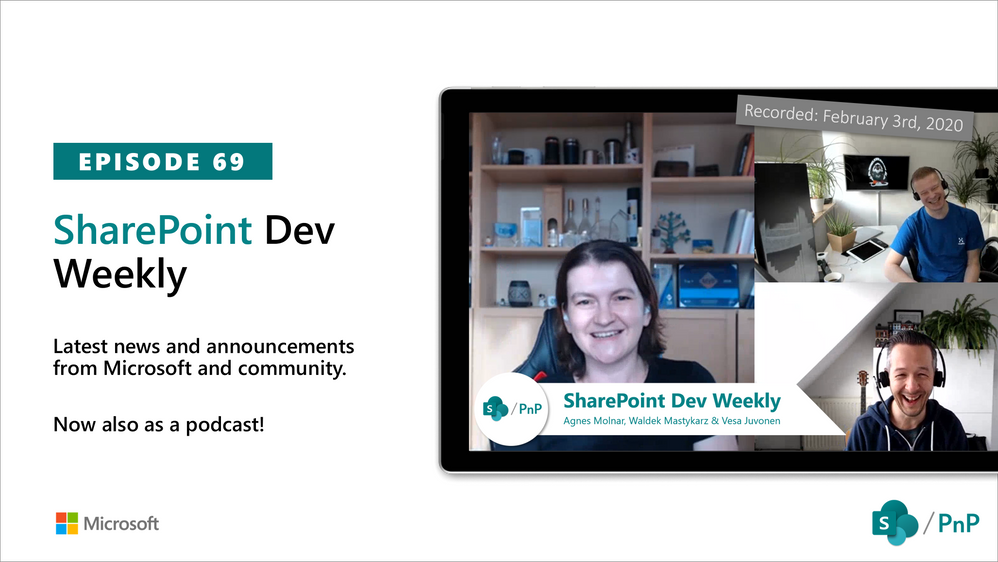
In this session of SharePoint Dev Weekly, hosts – Vesa Juvonen (Microsoft), Waldek Mastykarz (Rencore), and typically a special guest from the SharePoint PnP Community, discuss the latest news and topics around SharePoint development.
In this episode, Vesa and Waldek are joined by Agnes Molnar, owner of Search Explained based in Budapest, delivering consulting and training services worldwide. In addition to drawing attention to the recent advancements being delivered by the SharePoint Community and Microsoft, Vesa, Waldek and Agnes’ discussion this week centered on why search is again cool.
This episode was recorded on Monday, February 3, 2020.
2020 is officially here and we are ready to help you understand and master all the possibilities that are available in the new modern SharePoint. If you haven’t had a chance to sign up for our hands-on Intelligent Intranet Accelerator Workshop yet, now is your chance.
We have a team of enthusiastic SharePoint, One Drive, Yammer and Stream experts traveling the globe in 2020. From half-day workshops to multiple day shows with breakouts and hands on training, the team is ready! No matter where you are in the world, we will be close by to help you discover the art of the possible with Microsoft and SharePoint technologies. Come see the team at an event near you!
February 2020
February 7 – The Intelligent Intranet Accelerator Workshop- Featured as part of Microsoft Ignite The Tour, Washington DC
As part of Microsoft Ignite The Tour, the Microsoft Intelligent Intranet Accelerator Workshop will bring a deeply technical and immersive hands-on experience where you will build real-world applications to connect, succeed, and engage – faster. You will enjoy a plethora of keynotes, breakout sessions and one-on-one networking opportunities. This free event provides technical training led by Microsoft experts and your community. You’ll learn new ways to build solutions, migrate and manage infrastructure, and connect with local industry leaders and peers.
Register Today!
February 11 – The Intelligent Intranet Accelerator Workshop- Featured as part of Microsoft Ignite The Tour, Dubai
The Microsoft Intelligent Intranet Accelerator Workshop is a hands-on session within Microsoft Ignite The Tour in this location. By registering, you’ll receive instant access to not only the Microsoft Intelligent Intranet Accelerator Workshop, but also the free 2-day Microsoft Ignite The Tour.
Register Today!
February 12 – The Intelligent Intranet Accelerator Workshop – Hosted at the Microsoft Offices in Sydney, Australia
Get inspired with the art of the possible at the FREE Microsoft Intelligent Intranet Accelerator Workshop. Complete the registration today and reserve your spot in your city. By attending the workshop, you’ll walk away with the tools and capabilities necessary to accelerate your time-to-value.
Register today!
February 18 – The Intelligent Intranet Accelerator Workshop- Featured as part of SPTechCon San Francisco 2020
Featured as a part of SPTechCon San Francisco 2020, the Microsoft Intelligent Intranet Accelerator Workshop will bring a deeply technical and immersive hands-on experience where you will build real-world applications to connect, succeed, and engage – faster.
Register today!
February 21 – The Intelligent Intranet Accelerator Workshop- Featured as part of Microsoft Ignite The Tour Singapore
The Microsoft Intelligent Intranet Accelerator Workshop is a hands-on session within Microsoft Ignite The Tour in this location. By registering today, you’ll receive instant access to not only the Microsoft Intelligent Intranet Accelerator Workshop, but also the free 2-day Microsoft Ignite The Tour. You will enjoy a plethora of keynotes, breakout sessions and one-on-one networking opportunities. This free tour provides technical training led by Microsoft experts and your community. You’ll learn new ways to build solutions, migrate and manage infrastructure, and connect with local industry leaders and peers.
Register today!
February 28 – The Intelligent Intranet Accelerator Workshop- Featured as part of Microsoft Ignite The Tour, Copenhagen
As part of Microsoft Ignite The Tour, the Microsoft Intelligent Intranet Accelerator Workshop will bring a deeply technical and immersive hands-on experience where you will build real-world applications to connect, succeed, and engage – faster. You’ll learn new ways to build solutions, migrate and manage infrastructure, and connect with local industry leaders and peers.
Register today!
March 2020
March 10 – The Intelligent Intranet Accelerator Workshop – Hosted at the Microsoft Offices in Amsterdam
Get inspired with the art of the possible at the FREE Microsoft Intelligent Intranet Accelerator Workshop. Complete the registration today and reserve your spot in your city. By attending the workshop, you’ll walk away with the tools and capabilities necessary to accelerate your time-to-value.
Register today!
March 25 – The Intelligent Intranet Accelerator Workshop- Featured as part of Microsoft Ignite The Tour Hong Kong
The Microsoft Intelligent Intranet Accelerator Workshop is a hands-on session within Microsoft Ignite The Tour in this location. By registering below, you’ll receive instant access to not only the Microsoft Intelligent Intranet Accelerator Workshop, but also the free 2-day Microsoft Ignite The Tour.
Register today!
April 2020
April 16 – The Intelligent Intranet Accelerator Workshop- Featured as part of Microsoft Ignite The Tour Chicago
The Microsoft Intelligent Intranet Accelerator Workshop is a hands-on session within Microsoft Ignite The Tour in this location. By registering below, you’ll receive instant access to not only the Microsoft Intelligent Intranet Accelerator Workshop, but also the free 2-day Microsoft Ignite The Tour. You will enjoy a plethora of keynotes, breakout sessions and one-on-one networking opportunities. This free tour provides technical training led by Microsoft experts and your community. You’ll learn new ways to build solutions, migrate and manage infrastructure, and connect with local industry leaders and peers.
Register today!
April 28 – The Intelligent Intranet Accelerator Workshop- Hosted at the Microsoft Offices in Berlin, Germany
Get inspired with the art of the possible at the FREE Microsoft Intelligent Intranet Accelerator Workshop. Complete the registration today and reserve your spot in your city. By attending the workshop, you’ll walk away with the tools and capabilities necessary to accelerate your time-to-value.
Register today!
May 2020
May 5 – The Intelligent Intranet Accelerator Workshop- Featured as part of Microsoft Ignite The Tour Stockholm
As part of Microsoft Ignite The Tour, the Microsoft Intelligent Intranet Accelerator Workshop will bring a deeply technical and immersive hands-on experience where you will build real-world applications to connect, succeed, and engage – faster. You will enjoy a plethora of keynotes, breakout sessions and one-on-one networking opportunities. This free tour provides technical training led by Microsoft experts and your community. You’ll learn new ways to build solutions, migrate and manage infrastructure, and connect with local industry leaders and peers.
Register today!
We hope we will see you on the road!
Register today for a city near you for our Intelligent Intranet Accelerator Workshop!
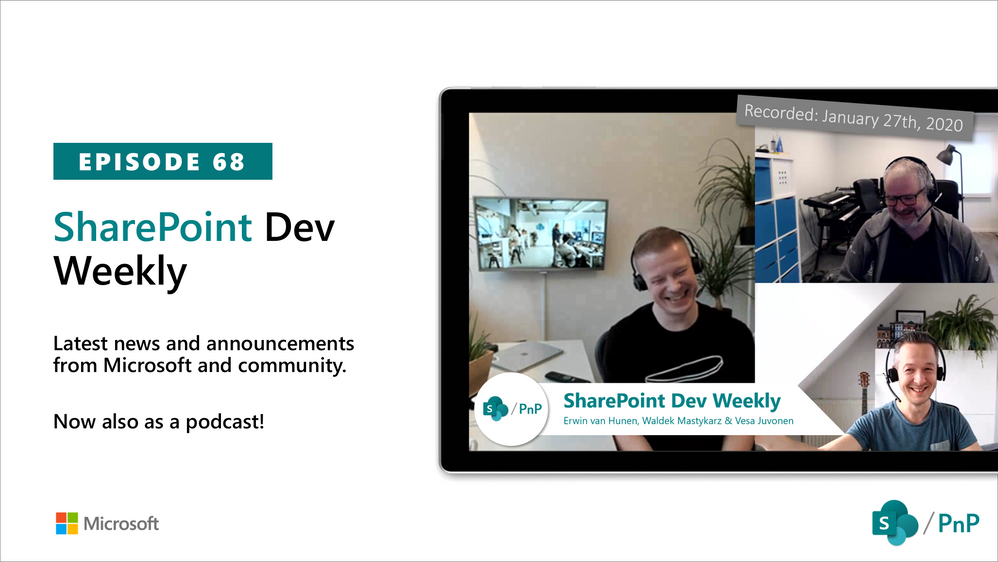
In this session of SharePoint Dev Weekly, hosts – Vesa Juvonen (Microsoft), Waldek Mastykarz (Rencore), and typically a special guest from the SharePoint PnP Community, discuss the latest news and topics around SharePoint development.
In this episode, Vesa and Waldek are joined by Erwin van Hunen – Lead architect at Valo Intranet. In addition to drawing attention to the recent advancements being delivered by the SharePoint Community and Microsoft, Vesa, Waldek and Erwin’s discussion this week focused on Erwin’s pioneering work on and evolution of PnP Provisioning and PnP PowerShell, the shaping of a tenant templating engine (support for Azure, Teams, OneDrive, SharePoint) – PnP .Net Core SDK, .NET frameworks, and tools – CLI and PowerShell.
This episode was recorded on Monday, January 27, 2020.
![Microsoft Graph Security API add-on is now available for Splunk Cloud!]()
Early last year, we launched the Microsoft 365 compliance center for Microsoft 365 E3 and E5 customers. Since then we’ve been hard at work making it a unified and comprehensive compliance administration console for all our customers. Today, we are excited to announce that we’ve shipped several new enhancements to the portal, and are making it available to all customers with Microsoft 365, Office 365, Enterprise Mobility + Security (EMS), and Windows 10 Enterprise plans.

In this release we’ve focused on three areas: integrated management, easier on-boarding, and improved controls.
Integrated management
Microsoft 365 compliance center is now truly a one-stop compliance destination. We’ve converged disparate admin experiences into one console, and we’ve built integrations with third-party data as well, giving you a single pane of glass to manage your entire compliance posture
- Converged console
Microsoft 365 compliance center is now truly a single destination to manage your compliance posture. Admins no longer need to go to the Office 365 Security & Compliance Center for compliance administration. Existing compliance capabilities within the Office 365 Security & Compliance Center are now available in the Microsoft 365 compliance center. Any data and policies authored in the Office 365 portal will automatically carry over to the Microsoft 365 one, since they share the same data back-end.
Additionally, we’ve introduced several exciting features and capabilities on the Microsoft 365 compliance center. Some of them are highlighted in this post, but you can see the full list here.
While you can choose to continue using Office 365 Security & Compliance Center by visiting protection.office.com, we encourage you to move your admin experience to the Microsoft 365 compliance center, since all the new capabilities will be available only in the new center.
2. Data connectors
You can now easily import and archive your business data from third-party social media platforms, instant messaging platforms, and document collaboration platforms. After this data is imported, you can apply Microsoft 365 compliance features—such as Litigation Hold, eDiscovery, In-Place Archiving, Auditing, Communication compliance, and retention policies—to this data. Examples of supported sources are Bloomberg, LinkedIn, Facebook, and Twitter. Learn more
 Easier onboarding
A recurring theme of feedback from you, our customers, has been that compliance is complex and it’s hard to get started. We looked at ways to make this easier and have introduced three key capabilities towards this goal.
- Microsoft Compliance Score helps you simplify compliance and reduce risks and gives you simple, actionable recommendations to improve your compliance posture.
- Solution catalog: We’ve organized our compliance capabilities into integrated solutions that help you manage an end-to-end compliance scenario. A solution’s capabilities might include a combination of policies, alerts, reports, end-user facing experiences, and more. The solution catalog is your one-stop-shop for discovering, learning about, and quickly getting started with our compliance and risk management solutions. It provides information about the benefits and target use cases for a solution, and how to get started with it. Solutions in the catalog are organized into three compliance categories: Information protection & governance, Insider risk management, and Discovery & response.

 3. Insights: To make it easier to get started with compliance, we’ve provided out-of-the-box insights into the sensitive data across various locations in your organization: Exchange, SharePoint, OneDrive for Business, and endpoints. You can easily determine the right retention and DLP policies to apply based on these insights. This feature is in public preview.


Improved administrative controls
We’ve invested in more administrative flexibility by adding new roles and enabling more customizable experiences.
- Support for new roles
We’ve added support for the much-requested Global Reader and Compliance Data Admin roles. Learn more about these roles. These new roles allow you to delegate administration tasks and reduce the number of Global administrators in your directory.
The Global Reader role can view everything a Global administrator can view without the ability to edit or change. The Compliance Data Admin role can create and manage compliance data policies and alerts.
2. Customizable experience
Every admin has different priorities when it comes to compliance. The Microsoft 365 compliance center allows you to customize your experience to suit your needs. You can customize the homepage dashboard by selecting from a catalog of cards.

You can also customize the left navigation bar by selecting and pinning the solutions that you use most frequently.

If you’re ready to try the new center out, be sure to visit the Microsoft 365 compliance center at compliance.microsoft.com today. You can learn more about the new center in this supporting documentation.







