In this classic admin’s tale, curated over the years by SharePoint users and enthusiasts since March 27th, 2001, the quiet reasoning of the words and the gentle, inspiring illustrations combine to make a perfect, colorful, holiday whitepaper to find your way through the modern intranet.
In the great server room, propped up in the cloud, is an IT Pro with solutions so proud. “Goodnight subsites, goodnight single bloated site collection.” And to all the modernized things in the humming datacenter—to the picture of weary site owners not sleeping nights, to frustrated users suffering frights, to broken links and broken permissions, to everything one by one—the brave information architect says goodnight.
One of the most beloved tech PDFs of 2021, Goodnight Subsites is a must read for every IT bookshelf and a holiday gift for Microsoft 365 migrators and each and every hub site creation event. Read and share the full story below:
Goodnight Subsites by Susan Hanley [Author], Mark Kashman [Author], and Rebecca Jackson [Illustrator]
Visit and share aka.ms/SharePoint/GoodnightSubsites to experience this wonderful perspective of a world that is flat. #GoodnightSubsites #SharePoint @SusanHanley @MKashman @RebeccaJLJ. Learn more: aka.ms/SharePoint/blog and aka.ms/PlanningSPHubSites.
Full, written text of Goodnight Subsites:
In the legacy of SharePoint,
On a single farm
There was a single site collection
With too many subsites –
A mess to anyone’s recollection.
Weary site owners couldn’t sleep nights
Frustrated users suffered their frights.
Broken links, too many restrictions,
As if no one cared to depict inevitable depictions.
The whole of the intranet was about to ker’flop,
Until a brave information architect shouted, “STOP!”
There’s a much better way
With flexibility you’ll love…
Structure related sites under a fresh new hub.
Today’s intranet revolves around a world that is flat!
Every project and team get their own site collection – STAT!
Goodnight subsites.
Goodnight disinherited permissions.
Goodnight single, bloated site collection.
Happy users no longer moping.
Ready to organize, already coping.
Ready to join the modern intranet club?
Admins rejoice: “Hub before sub.”
___
A tech parody inspired by “Goodnight Moon” written by Margaret Wise Brown.
Sentiment shared by All.
Goodnight Subsites (PDF (c) December 2021), by Susan Hanley (Author), Mark Kashman (Author), and Rebecca Jackson (Illustrator). Licensed under CC BY-ND 4.0.
Happy holidays, cheers and enjoy, , , and
AI Builder is a Power Automate capability that provides AI models that are designed to optimize your business processes by gleaning insights from your data. There are many different ways that you can use AI Builder – this is the part one of a 3-part weekly series on some common ways to get started. Almost everyone has to deal with incoming emails as a part of their job – and AI Builder can help you to make meaning of this incoming flow of information.
Last month at Ignite, we announced a set of collaboration capabilities across Power Platform. Today, we are excited to announce even more features within commenting on Power Automate. Now, you can at-mention your co-workers in your comments and have others receive email notifications when you do so.
Power Automate for desktop comes with new features in December 2021 release, including the unified recorder, the tenant picker, the ability to create copies of flows from the console, as well as multiple improvements over many different actions.
Building fast, fluid Microsoft 365 web applications is one of our core focus areas on the SharePoint engineering team. Over the course of this year, we’ve double-downed on performance – making our web apps load faster, delivering up to a 57% improvement in page interactivity, along with the ability to work with data offline. We’re pleased to announce we’ve reached general availability for Microsoft Lists customers. The focus of this article is to share how it all works and how we went about designing and developing it.
We’re pleased to announce that we’ve reached general availability for Microsoft Lists: Fast and offline.
And we didn’t stop there. Our ambition is to deliver experiences that are consistently fast for every user on all kinds of networks and devices – even when there is no connection to the Internet. To help us accomplish this, we looked beyond the fundamentals to unlock new levels of web performance and enable new ways for our customers to experience Microsoft 365 web applications. We do this by blending Progressive Web Apps (PWAs) and expanding Project Nucleus.
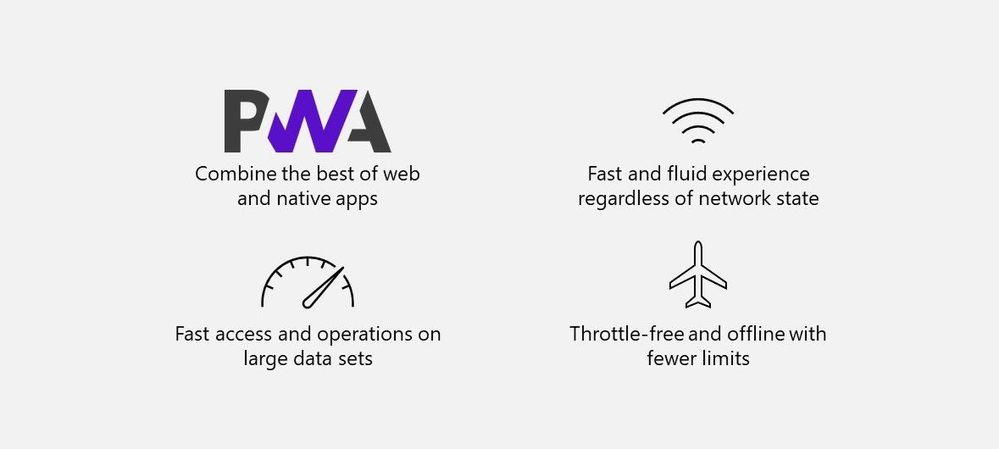 The combination of Progressive Web Apps (PWAs) and the expansion of Project Nucleus enables faster Web applications – even when offline.
Transforming Microsoft 365 apps into PWAs
As part of our ongoing effort to improve performance and design new experiences, we began transforming our web applications into Progressive Web Apps (PWAs) starting with Microsoft Lists and OneDrive.
 Install Microsoft Lists as a Progressive Web Apps (PWA) from your browser.
PWAs allow us to provide access to open web technologies for cross-platform interoperability. And in turn, you get an app-like experience customized for your devices. They are websites progressively enhanced to function like installed apps. PWAs allow us to combine the best of the web and native apps, like websites with app features: The ability to load offline, run within the local operating system, support push notifications and periodic background updates, access hardware features, and more.
When installed, PWAs are just like other apps on Windows. They can be added to the Start Menu, pinned to the Taskbar, work with files, run on user login, and more.
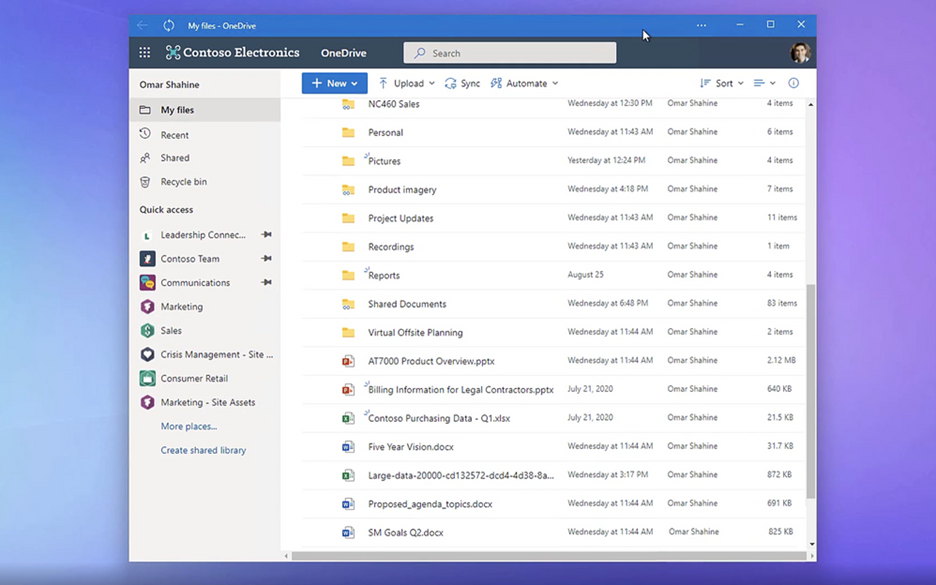 OneDrive as a PWA running on the Windows desktop.
To build web experiences that load and function offline – including support for editing – we had to look beyond PWAs. Enter Project Nucleus.
It all started as ‘Project Nucleus’
Project Nucleus was the codename behind our initiative of building a new client-side component to supercharge existing web apps, like Microsoft Lists, by providing a consistently fast and smooth experience on all kinds of devices and networks – again, even working when offline.
By leveraging local storage for fast data retrieval, it also enables our customers to seamlessly work with large and complex datasets made available through our web apps, like Lists with hundreds or thousands of rows. Operations on web app data, like sort and filter, are blazing fast because they occur on the local device. All offline changes synchronize back to the cloud once reconnected to the Internet.
Behind Project Nucleus is Microsoft.SharePoint.exe, a new component delivered alongside OneDrive sync – leveraging the existing OneDrive install and update mechanism. Once installed, it links with the web app by making a smart cache of web app data on the local device. It then acts as a local web server by pulling and pushing data to and from that local cache, instead of the web app always retrieving it from the cloud. This enables offline editing; changes to content occur within the local cache first and then get pushed to the cloud once connection is restored. The result helps save on network bandwidth and eliminate bottlenecks, too.
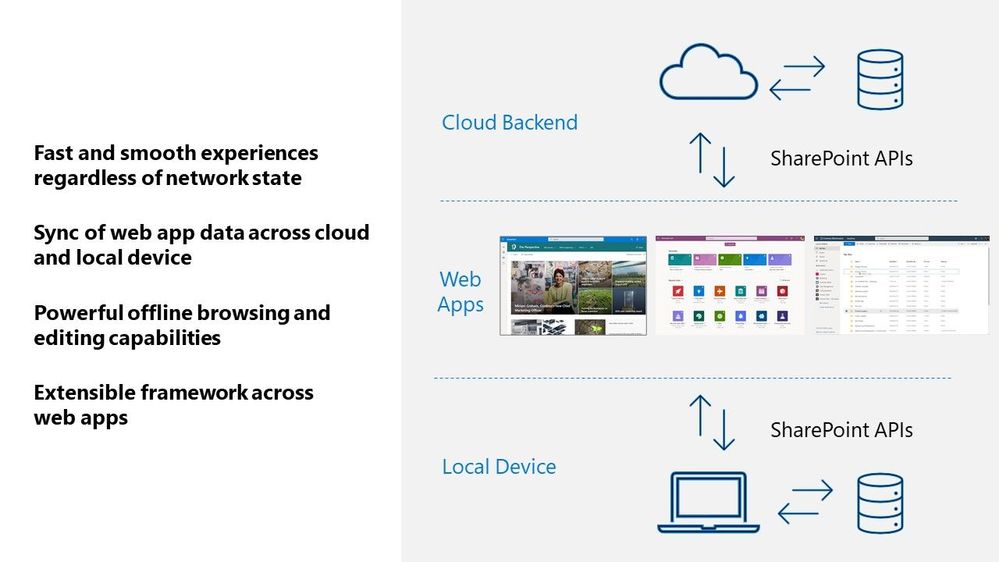 A visual diagram showing how web apps interact across your local Windows device and cloud services in Microsoft 365.
Microsoft Lists is our first web application that leverages these new capabilities. First, it means you can load the Lists app to view and edit list data whether your online or offline. Second, loading and interacting with lists gets supercharged in all modalities. Finally, views inside synced lists never get throttled – regardless of the number of items in the view or whether those columns are indexed.
 New Lists indicators show when your items are being save to your device (offline; as shown above), when the list is synchronizing, and when all is up to date (synced).
Moving forward…
In short, your lists are always on, lightning fast, and less impacted by service-imposed limitations. This is where we start, and we plan to bring these benefits to other web apps over time. Stay tuned – online or offline – for future updates in this space.
Learn more about Progressive Web Apps, including ‘how to’ information for end users. Review all Microsoft Lists new from Microsoft Ignite – including the general availability announcement for Microsoft Lists: Fast and offline [Roadmap ID: 68809]. We have a new end-user ‘how to’ edit lists offline. And admins can review policies to control Lists sync settings.
Take a peek at the technology in action from the related Microsoft Ignite session, “What’s new with Microsoft Lists” (published on November 2nd, 2021 – jump to 13:30 to see the “Fast and offline access to list data” segment):
Thanks for your time to learn more, Andrey Esipov – Principal program manager, Microsoft







