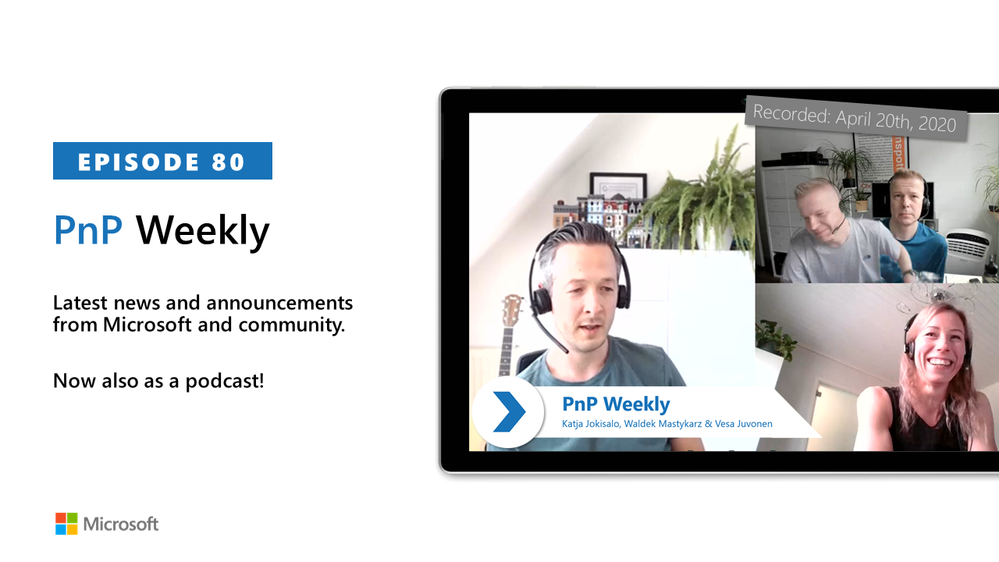
In this weekly discussion of latest news and topics around Microsoft 365, hosts – Vesa Juvonen (Microsoft), Waldek Mastykarz (Rencore), are joined by Katja Jokisalo – Information Architect, MVP at Sulava in Finland, who is helping to shape the last frontier for information architecture.
Discussion concentrates on the value and importance of properly defined information architecture for Microsoft Teams and SharePoint deployments. They of course covered any other topics and latest weekly news articles from both Microsoft and community.
This episode was recorded on Monday, April 20, 2020.
Did we miss your article? Please use #PnPWeekly hashtag in the Twitter for letting us know the content which you have created.
Got feedback, ideas, other input – please do let us know!
![Join us for Security Awareness Virtual Summit on May 5th 2020]()
Hosted by Terranova Security and sponsored by Microsoft, keynote by Gartner.
Aware and vigilant end users are key to unlocking the full potential of your security technologies. Any part of your cybersecurity strategy that involves users—whether it’s data protection or email security—depends on your users’ security awareness, engagement, and alertness. To truly protect our organizations, we must not only empower our colleagues to protect themselves but also build an organizational culture that prioritizes security.
Security Awareness Virtual Summit
We are co-sponsoring Terranova Security’s Security Awareness Virtual Summit, coming to a laptop near you on May 5th, 2020 12:00 pm to 3:00 pm ET. Register now to hear from Gartner Senior Director, Brian Reed, Lise Lapointe CEO of Terranova Security, and @Brandon Koeller, Microsoft Security Principal PM Lead.

Ask your questions to a panel of experts, including @Blythe Price and Erin Csonaki, Program Managers for Microsoft Cyber Security Awareness and Training. Participate in a virtual workshop that will walk you through designing a custom security training program for your organization and leave armed with knowledge that will help you boost completion rates, identify the right frequency, format and length for your training, and monitor effectiveness.
Why Simulated Attack is essential to your Security Awareness Training at 12:45 pm ET
Tune in to Brandon’s session to learn how to leverage simulated attack to detect and quantify your user risk. This session gives you a sneak peek of upcoming product innovations. Simulated phishing attacks which are context-specific to your business needs help you detect and quantify user susceptibility. And targeted Terranova Security training, customized for user vulnerability level, engagement level, and context, remediates user risk. Our solution automates administration and monitoring end-to-end, simplifying processes like payload management and user targeting to a few clicks, and delivers robust analytics to enable rich reporting. Save your spot now to attend this session.
Expert Panel at 2:00 pm ET
To learn more about how we design and deploy phish simulation and training within Microsoft, and optimizing for engagement and completion, join Blythe Price and Erin Csonaki at the expert panel at 2:00 pm. They will be in conversation with Lise Lapointe, author of the book The Human Fix to Human Risk and Gartner’s Brian Reed. Blythe and Erin will share tips, best practices, and expertise gleaned from designing and managing Microsoft’s cyber security awareness program.
We hope to see many of you on May 5! Register here to learn how to maximize the impact of your security awareness program.
![Join us for Security Awareness Virtual Summit on May 5th 2020]()
Microsoft Compliance Score is a feature in the Microsoft 365 compliance center to help you understand your organization’s compliance posture. It calculates a risk-based score measuring your progress in completing actions that help reduce risks around data protection and regulatory standards.

References:
This webinar was presented on Tue Apr 15th 2020, and the recording can be found here.
Attached to this post are:
- The FAQ document that summarizes the questions and answers that came up over the course of both Webinars; and
- A PDF copy of the presentation.
Thanks to those of you who participated during the two sessions and if you haven’t already, don’t forget to check out our resources available on the Tech Community.
Thanks!
@Adam Bell on behalf of the MIP and Compliance CXE team
In this difficult time, remote work is becoming the new normal for many companies around the world. Part of this new normal is increased focus on implementing stricter security controls and data loss prevention policies within the solutions that already exist within your environment. We understand that you may be looking at our portfolio of solutions and trying to better understand how we can help provide the appropriate balance of security and productivity.
To help address these questions, we are hosting a webinar that will provide information about how you can use your existing Microsoft security and compliance tools to better secure your remote work environment and not negatively impact productivity.
Please see below for additional details:
- Date and time: April 27, 2020 – 9:00am – 10:30am PST
- Agenda topics:
- Restricting Teams experiences for guests and people outside of your organization – how customers can use sensitivity labels to protect content in Teams, Office 365 groups, and SharePoint Online sites
- Applying data loss prevention in Teams
- Applying sensitivity labels to protect sensitive data
- Minimizing insider risk with Insider Risk Management, Communications Compliance, and Information Barriers
- Enabling simple retention policies
- Next steps/instructions on how to join:
Please feel free to add a comment or message me if you have any questions.

In this weekly discussion of latest news and topics around Microsoft 365, hosts – Vesa Juvonen (Microsoft), Waldek Mastykarz (Rencore), are joined by Albert-Jan Schot – CTO and MVP at Portiva – Utrecht, Netherlands.
The group discusses differences in development for on-prem (one framework, add boxes) vs cloud (many frameworks, throttling), for business productivity stack (integrate stuff) vs Azure (expose stuff) and for open-source projects (rinse and repeat). Unclear? Watch the episode.
Why develop for M365 as opposed to Azure? It’s not that you choose one or the other. Both so intertwined and converging in a cloud first world. Azure (tools/services) supports so much that we just do AI, Infrastructure, Security, Identity in the process of delivering business solutions. M365 is like an OS providing many services. Our focus is integrating and building on top of M365 – within feature rich environments – Teams, Outlook, SharePoint where our customers conduct their daily business.
This episode was recorded on Tuesday, April 14, 2020.
Got feedback, ideas, other input – please do let us know!
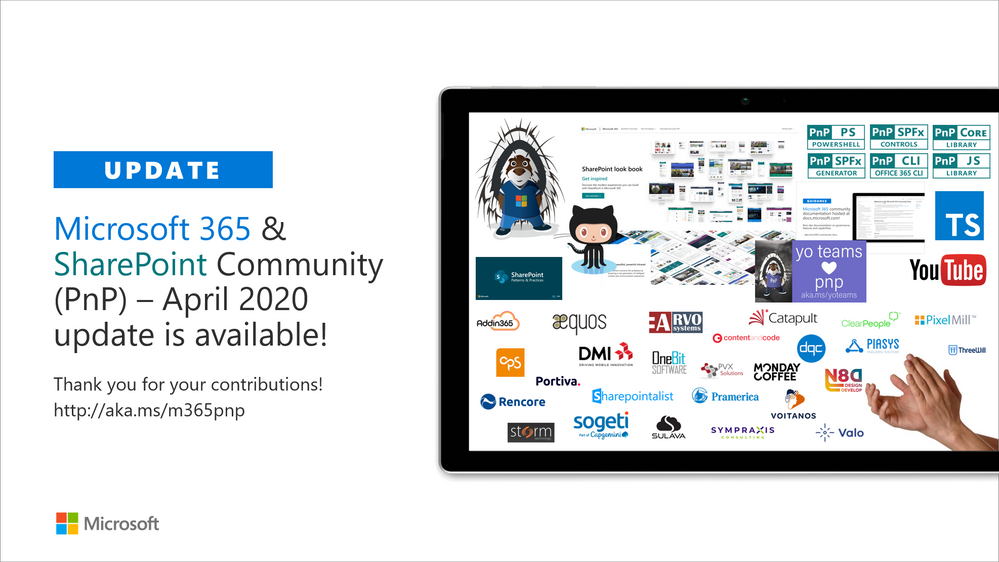
Latest monthly summary of SharePoint Development guidance for SharePoint Online and on-premises is now available from the SharePoint Dev Blog. Check the latest news, samples and other guidance from this summary.
![Join us for Security Awareness Virtual Summit on May 5th 2020]()
The unified auditing functionality in Microsoft 365 provides organizations with visibility into many types of audited activities across many different services in Microsoft 365. Now with the release of Advanced Audit in Microsoft 365, we’re adding new auditing capabilities that can help your organization with forensic and compliance investigations

References:
This webinar was presented on Tue Apr 7th 2020, and the recording can be found here.
Attached to this post are:
- The FAQ document that summarizes the questions and answers that came up over the course of both Webinars; and
- A PDF copy of the presentation.
Thanks to those of you who participated during the two sessions and if you haven’t already, don’t forget to check out our resources available on the Tech Community.
Thanks!
@Adam Bell on behalf of the MIP and Compliance CXE team
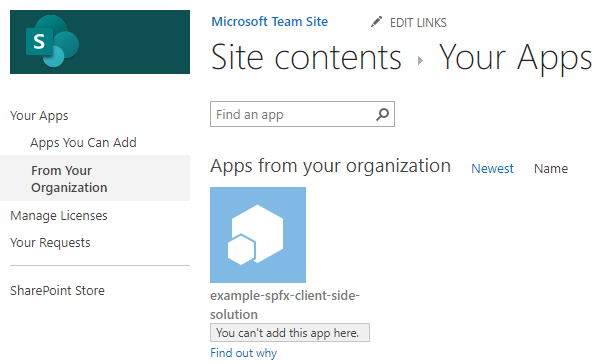
Problem
You may find that after installing a SharePoint App into your App Catalog, you are unable to install the app in your Site collection and the status will display “You can’t add this app here”.
Cause
This is a misleading status message that may indicate the app is already installed. After clicking on the App for the first time, the installation process starts without prompting the user. If you then reopen the App Catalog, you will find that the app status states, “You can’t add this app here”.
However, if you click on “Find out why”, it should state “Good news – you already have this on your site.”
Resolution
Check the “Site Contents” to verify if the app is already installed.

If you find the App is already installed, then you were misled by the status message and no further action is needed.
However, if you are seeing this status message and the app is not installed, check the deploy status of the App in the catalog to ensure its deployed correctly and is compatible with your SharePoint version.

![Join us for Security Awareness Virtual Summit on May 5th 2020]()
This post is authored by Mor Rubin, Security Researcher, Azure ATP.
The SMB vulnerability CVE-2020-0796, also known as “SMBGhost” or “CoronaBlue”, was published a few days ago. This CVE is about a potential remote code execution due to a buffer overflow vulnerability in the way SMBv3 (3.1.1) handles SMBv2 compression requests. The vulnerability affects Windows 10 and Windows Server 2019 versions 1903 and 1909.
A few proofs of concept that trigger this vulnerability have been published already – one of them is on GitHub. So far, the tools published online are expected to cause a “blue screen” if the target Windows server is vulnerable to this issue. As most of the critical servers in an organization are Windows servers, attackers will exploit this vulnerability to try to gain control of the remote servers without authenticating.
The vulnerability has the potential to become widely spread, similar to the way EternalBlue exploited the SMB protocol in 2017. It’s important to protect critical Windows servers by installing a patch, KB4551762, or following other suggested mitigations and workarounds.
In addition, to help our customers stay secure, we are releasing a new Azure ATP detection that looks for use of this vulnerability on unpatched Domain Controllers. The detection identifies crafted packets attempting to exploit SMBv3.

Get Started Today
Azure ATP leverages your Active Directory signals, the cloud intelligence underpinning all Microsoft’s security services, and identity-focused detections updated at cloud scale to prevent, detect, and investigate identity-based threats, compromised and malicious users, and lateral movement of on-premises attacks.
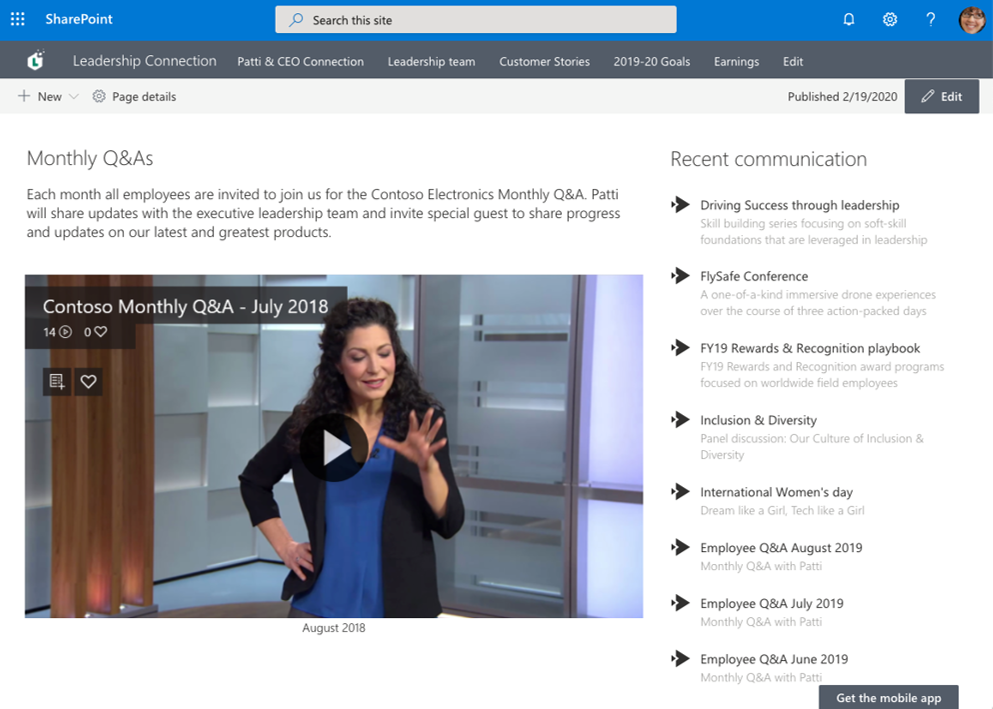
Share educational videos with your class or highlights from meeting recordings with your coworkers remotely by adding the Microsoft Stream web part to your SharePoint site. Also, learn how to share this content externally in SharePoint Files and Folders.
Read the original blog post here.







