![Microsoft 365 compliance center: Unified compliance administration for all customers]()
Early last year, we launched the Microsoft 365 compliance center for Microsoft 365 E3 and E5 customers. Since then we’ve been hard at work making it a unified and comprehensive compliance administration console for all our customers. Today, we are excited to announce that we’ve shipped several new enhancements to the portal, and are making it available to all customers with Microsoft 365, Office 365, Enterprise Mobility + Security (EMS), and Windows 10 Enterprise plans.

In this release we’ve focused on three areas: integrated management, easier on-boarding, and improved controls.
Integrated management
Microsoft 365 compliance center is now truly a one-stop compliance destination. We’ve converged disparate admin experiences into one console, and we’ve built integrations with third-party data as well, giving you a single pane of glass to manage your entire compliance posture
- Converged console
Microsoft 365 compliance center is now truly a single destination to manage your compliance posture. Admins no longer need to go to the Office 365 Security & Compliance Center for compliance administration. Existing compliance capabilities within the Office 365 Security & Compliance Center are now available in the Microsoft 365 compliance center. Any data and policies authored in the Office 365 portal will automatically carry over to the Microsoft 365 one, since they share the same data back-end.
Additionally, we’ve introduced several exciting features and capabilities on the Microsoft 365 compliance center. Some of them are highlighted in this post, but you can see the full list here.
While you can choose to continue using Office 365 Security & Compliance Center by visiting protection.office.com, we encourage you to move your admin experience to the Microsoft 365 compliance center, since all the new capabilities will be available only in the new center.
2. Data connectors
You can now easily import and archive your business data from third-party social media platforms, instant messaging platforms, and document collaboration platforms. After this data is imported, you can apply Microsoft 365 compliance features—such as Litigation Hold, eDiscovery, In-Place Archiving, Auditing, Communication compliance, and retention policies—to this data. Examples of supported sources are Bloomberg, LinkedIn, Facebook, and Twitter. Learn more
 Easier onboarding
A recurring theme of feedback from you, our customers, has been that compliance is complex and it’s hard to get started. We looked at ways to make this easier and have introduced three key capabilities towards this goal.
- Microsoft Compliance Score helps you simplify compliance and reduce risks and gives you simple, actionable recommendations to improve your compliance posture.
- Solution catalog: We’ve organized our compliance capabilities into integrated solutions that help you manage an end-to-end compliance scenario. A solution’s capabilities might include a combination of policies, alerts, reports, end-user facing experiences, and more. The solution catalog is your one-stop-shop for discovering, learning about, and quickly getting started with our compliance and risk management solutions. It provides information about the benefits and target use cases for a solution, and how to get started with it. Solutions in the catalog are organized into three compliance categories: Information protection & governance, Insider risk management, and Discovery & response.

 3. Insights: To make it easier to get started with compliance, we’ve provided out-of-the-box insights into the sensitive data across various locations in your organization: Exchange, SharePoint, OneDrive for Business, and endpoints. You can easily determine the right retention and DLP policies to apply based on these insights. This feature is in public preview.


Improved administrative controls
We’ve invested in more administrative flexibility by adding new roles and enabling more customizable experiences.
- Support for new roles
We’ve added support for the much-requested Global Reader and Compliance Data Admin roles. Learn more about these roles. These new roles allow you to delegate administration tasks and reduce the number of Global administrators in your directory.
The Global Reader role can view everything a Global administrator can view without the ability to edit or change. The Compliance Data Admin role can create and manage compliance data policies and alerts.
2. Customizable experience
Every admin has different priorities when it comes to compliance. The Microsoft 365 compliance center allows you to customize your experience to suit your needs. You can customize the homepage dashboard by selecting from a catalog of cards.

You can also customize the left navigation bar by selecting and pinning the solutions that you use most frequently.

If you’re ready to try the new center out, be sure to visit the Microsoft 365 compliance center at compliance.microsoft.com today. You can learn more about the new center in this supporting documentation.

In this session of SharePoint Dev Weekly, hosts – Vesa Juvonen (Microsoft), Waldek Mastykarz (Rencore), and typically a special guest from the SharePoint PnP Community, discuss the latest news and topics around SharePoint development.
In this episode Vesa and Waldek are joined by Yannick Plenevaux – Microsoft 365 Solutions Architect, new MVP and owner of PVX Solutions, Belgium.
This episode was recorded on Monday, January 20, 2020.
![Microsoft 365 compliance center: Unified compliance administration for all customers]()
Security research shows most successful enumeration and brute force attacks use either NTLM or Kerberos authentication protocols for entry. In fact, they’re the most popular discovery-phase attacks Azure ATP observed in the past 12 months.
Why does account enumeration matter?
In an account enumeration attack, the malicious actor attempts to use different usernames to access a server, with the goal of discovering which users exist within the organization. Once an attacker identifies these users, a brute force attacks begins to get their credentials and move laterally within the organization toward higher-profile assets.
What is NTLM and how does it work?
The NTLM protocol authenticates users and computers, using a challenge/response mechanism designed to prove to a server or domain controller that the user knows the password associated with the account they’re trying to access. Whenever a new access token is needed for domain accounts, a resource server must contact the domain controller to verify the identity of a computer or user.
Standard NTLM authentication flow includes 2 major steps:
- The user tries to access a resource server.
- The resource server validates the user with a domain controller.

How does Azure ATP provide visibility into NTLM authentications?
Network traffic and Windows Events 4776 and 8004 capture NTLM data. In turn, Azure ATP parses the NTLM traffic and events from your domain controllers.
NTLM 8004 events provide full information on your NTLM authentications, including:
- Source account
- Source device
- Accessed resource server
- Domain controller that is doing the account validation
Why do some devices show up as “unknown” in Azure ATP alerts?
The source device in Azure ATP account enumeration and brute force detection alerts can be marked as coming from “unknown” devices, such as Workstation, MSTSC, or Unknown. This happens because the source device name field is occasionally overwritten when the attacker is already inside your organization, or when they try to enumerate accounts from the internet. This is common when the accessed server is opened to the internet and used by adversaries to enumerate users from outside the organization.
With enhanced support for Windows event 8004, Azure ATP now determines which servers were attacked and how the attacks happened.
How can Azure ATP detect the actual server accessed inside the network?
Azure ATP sensors parse Windows event 8004 for NTLM authentications. When NTLM auditing is enabled and Windows event 8004 is logged, Azure ATP sensors automatically read the event and enrich your NTLM authentications with the accessed server data.

In addition, Azure ATP now provides Resource Access over NTLM activity, showing the source user, source device, and accessed resource server:

Example of enhanced NTLM activity details
Use the following links to learn more about enabling NTLM auditing when working with Azure ATP to detect, protect, and remediate NTLM and brute force attacks:
Get Started Today
Just starting your Azure ATP journey? Begin a trial of Microsoft Threat Protection to leverage integrated defenses and unparalleled intelligence across the threat landscape to defend the modern workplace.

In this session of SharePoint Dev Weekly, hosts – Vesa Juvonen (Microsoft), Waldek Mastykarz (Rencore), and typically a special guest from the SharePoint PnP Community, discuss the latest news and topics around SharePoint development.
In this episode Vesa and Waldek are joined by Hugo Bernier – Director of Consulting Services at Point Alliance in Toronto. Hugo is an old friend and contributor to the PnP community and now a MVP who has delivered many code samples and reusable controls to-date (SharePoint Framework Samples repository) with more to come in 2020.
This episode was recorded on Monday, January 13, 2020.
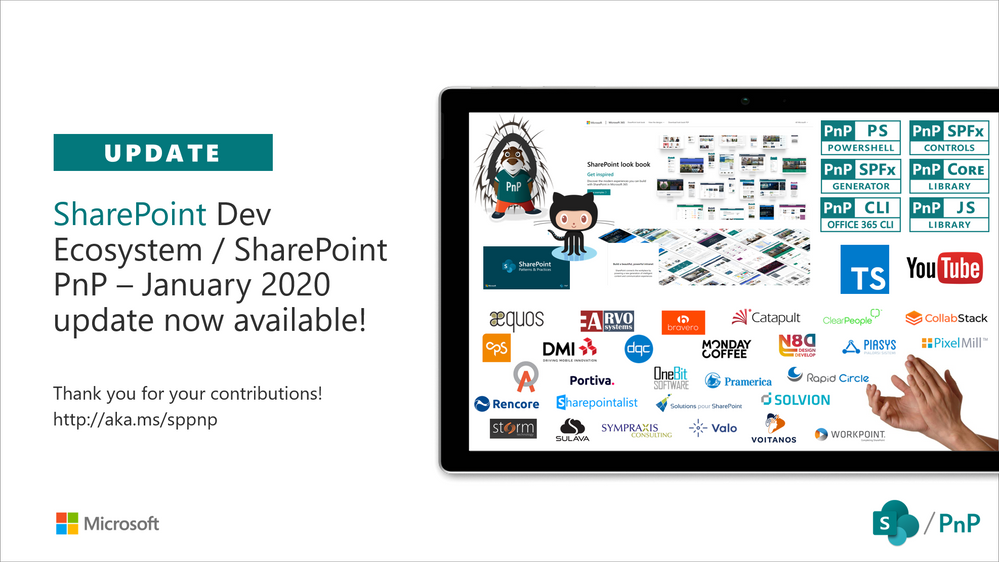
Latest monthly summary of SharePoint Development guidance for SharePoint Online and on-premises is now available from the SharePoint Dev Blog. Check the latest news, samples and other guidance from this summary.

In this session of SharePoint Dev Weekly, hosts – Vesa Juvonen (Microsoft), Waldek Mastykarz (Rencore), discuss the latest news and topics around SharePoint development.
In addition to drawing attention to the latest advancements being delivered by the SharePoint Community and Microsoft, Vesa and Waldek’s discussion this week focused on: Predictions for 2020.
This episode was recorded on Tuesday, January 7, 2020.
![Microsoft 365 compliance center: Unified compliance administration for all customers]()
This post is authored by @Boris_Kacevich
For most customers, cloud apps run the workplace. While we see an average of 129 IT-managed applications, Discovery data from our Cloud Access Security Broker (CASB) shows that the total number of apps accessed by employees in large organizations often exceeds 1,000.
Now, let’s think back to 1985. Windows 1.0 launched and provided the ability to display content in different spaces at the same time, a revolution in the OS space at the time. Fast forward back to 2019 and today the average employee switches between 35 job-critical applications more than 1,100 times every day. Sound like a lot? Take a look at how many cloud applications are open in your browser right now while you are reading this blog.
There is no debate today that our working environment and the tools we use in order to maintain our productivity continue to change rapidly. As the cloud transformation continues, it enables organizations to optimize their employee productivity by giving them the ability to choose the tools that are right for them across apps, devices and more.
But this flexibility and power of choice comes with great responsibility. The freedom to use any cloud app introduces a requirement to consider what you are doing with it and the risk you may bring to a business. According to LogicMonitor’s cloud report, 83% of business workloads will have migrated to the cloud by 2020, although most agree that the information is migrating much faster than this, while the security controls that are able to protect it lag behind. This is a clear risk as evidenced by the Box information leakage which was caused by insufficient control of the uploaded data.
But expecting users to take responsibility for this is simply not going to work and is not an option for most organizations. The right security controls need to be put in place to ensure that no sensitive information leaks out of the organization, even when flexibility is provided for the adoption of cloud apps.
To help you with this, we have compiled some general best practices to help protect your organization in this world of flexibility:
- Set up single sign-on for adopted apps in your organization to enable a better authentication experience for users and enforce appropriate elevated assessments with conditional access and MFA
- Minimize and control permission scopes given to users and OAuth apps being used in your organization to limit the potential impact of a breach
- Control the information being upload to cloud services – limit the type of documents being uploaded, classify uploaded documents and encrypt them when required
- Limit external sharing permissions by enabling controls for things like the creation of public links or sharing with external users
- Leverage cross service UEBA capabilities to detect potentially compromised accounts or insider threats
- Manage ALL users and devices, do not allow unmanaged guest users or un-monitored usage from un-managed devices.
- Monitor and control all your environments continuously, do not rely only on periodic reports and audits. Detecting policy violations in real time or near real time minimizes the risk for a wide exposure.
As Microsoft Cloud App Security became a leading CASB in the market, we took the approach of protecting all cloud apps, not just our own, recognizing that this was the correct set of outcomes for customers. It is important that as a multi-mode CASB, we provide rich visibility, control over data, and sophisticated analytics to identify and combat cyberthreats across ALL your cloud services.

So let’s beyond the realm of theory and bring this to life by exploring a few scenarios.
Protect your sensitive information
According to Varonis more than 30% of companies have more than 1000 sensitive folders which are accessible by everyone. Microsoft Cloud App Security enables granular control and DLP capabilities over the content shared on leading apps like G Suite, Box, Dropbox and Salesforce, protecting sensitive client information on platforms like ServiceNow, making sure there are no S3 AWS buckets left open and exposed to the wide world and preventing users from sharing sensitive files with external users in Webex chat rooms. Information exposure control via a unified labeling mechanism is also available for non-MSFT apps like G Suite and Box via a native integration with Microsoft Azure Information Protection.
Protect against insider threats and anomalous behaviors
According to the Insider Threat Report 2018, 90% of organizations feel vulnerable to insider threat attacks, whether they are malicious, accidental or due to compromised accounts. Microsoft Cloud App Security provides advanced UEBA capabilities to detect anomalous behaviors by users, detecting abuse of privileged accounts or performing activities from an unusual location, client or device. The native integration with Azure Active Directory enables further enrichment of user identity and improves detection capabilities across used non-MSFT apps. These detection capabilities are enabled out of the box for apps like Salesforce, ServiceNow, G Suite, Google Cloud Platform, Box, Dropbox, Okta and WebEx teams.
Protect against threats, malware and ransomware
Microsoft Cloud App Security utilizes the MSFT security eco-system and deep integration with the Intelligent security graph to provide wide coverage of potential threats from Tor-based access, to potential Ransomware and Malware attacks back to potentially leaked credentials. The protection is available across all connected services that are available in Microsoft Cloud App Security.
Gain investigation capabilities into complex environments
In today’s complex environments, whether it is the usage of multiple cloud apps or the use of a one with complex structure like Salesforce it is not enough to have periodic audits on per app basis. To get the broader picture, stay up to date and be able to control incidents across your entire environment it is critical to have full visibility of what is happening across all of the apps in your environment. The ability to control the activities, set clear policies and automate the process is crucial to maintain a secure and controlled workplace. Microsoft Cloud App Security enables a cross app unified policy and investigation capabilities to get clear visibility and control over user activities in the connected apps.
Get real-time controls for user access and sessions from managed and un-managed devices
Microsoft Cloud App Security enables granular access and session controls for all governed users in the system. Controlling risky access and session enables admins to limit app access, block downloads and restrict activities like copy/paste in web-based cloud apps. Microsoft Cloud App Security also enables to control the access and session from unmanaged devices while the user tries to access enterprise managed apps. These controls are enabled for more than 25 leading SaaS apps like Box, Concur, GitHub, G Suite, Confluence, Salesforce, Slack, Workday and also available for any cloud web-based app using SAML and SSO.
Protect against malicious OAuth apps in leading SaaS platforms
Microsoft Cloud App Security enables IT to gain an overview of authorized applications across their cloud services Office 365, Salesforce and G-Suite. The capabilities allow them to continuously monitor new app permissions and provides controls to prevent and remediate malicious OAuth apps from gaining access to the corporate data.
Going beyond the top Cloud apps we can recognize a large amount of growing productivity, Finance, HR and CRM apps like Workplace by Facebook, SAP Concur, Citrix Sharefile, Atlassian Confluence and Zoom that are being adopted by organizations or more specifically by the users in these organizations.
Being able to scale protection and align with the growth of this eco-system is one of Microsoft Cloud App Security’ top missions in the upcoming future.
You can learn more about Microsoft Cloud App Security here, and please let @Boris_Kacevich know any questions you have!
Thank you
@Adam Hall on behalf of the entire MCAS team
For most customers, cloud apps run the workplace. While we see an average of 129 IT-managed applications, Discovery data from our Cloud Access Security Broker (CASB) shows that the total number of apps accessed by employees in large organizations often exceeds 1,000.
Now, let’s think back to 1985. Windows 1.0 launched and provided the ability to display content in different spaces at the same time, a revolution in the OS space at the time. Fast forward back to 2019 and today the average employee switches between 35 job-critical applications more than 1,100 times every day. Sound like a lot? Take a look at how many cloud applications are open in your browser right now while you are reading this blog.
There is no debate today that our working environment and the tools we use in order to maintain our productivity continue to change rapidly. As the cloud transformation continues, it enables organizations to optimize their employee productivity by giving them the ability to choose the tools that are right for them across apps, devices and more.
But this flexibility and power of choice comes with great responsibility. The freedom to use any cloud app introduces a requirement to consider what you are doing with it and the risk you may bring to a business. According to LogicMonitor’s cloud report, 83% of business workloads will have migrated to the cloud by 2020, although most agree that the information is migrating much faster than this, while the security controls that are able to protect it lag behind. This is a clear risk as evidenced by the Box information leakage which was caused by insufficient control of the uploaded data.
But expecting users to take responsibility for this is simply not going to work and is not an option for most organizations. The right security controls need to be put in place to ensure that no sensitive information leaks out of the organization, even when flexibility is provided for the adoption of cloud apps.
To help you with this, we have compiled some general best practices to help protect your organization in this world of flexibility:
- Set up single sign-on for adopted apps in your organization to enable a better authentication experience for users and enforce appropriate elevated assessments with conditional access and MFA
- Minimize and control permission scopes given to users and OAuth apps being used in your organization to limit the potential impact of a breach
- Control the information being upload to cloud services – limit the type of documents being uploaded, classify uploaded documents and encrypt them when required
- Limit external sharing permissions by enabling controls for things like the creation of public links or sharing with external users
- Leverage cross service UEBA capabilities to detect potentially compromised accounts or insider threats
- Manage ALL users and devices, do not allow unmanaged guest users or un-monitored usage from un-managed devices.
- Monitor and control all your environments continuously, do not rely only on periodic reports and audits. Detecting policy violations in real time or near real time minimizes the risk for a wide exposure.
As Microsoft Cloud App Security became a leading CASB in the market, we took the approach of protecting all cloud apps, not just our own, recognizing that this was the correct set of outcomes for customers. It is important that as a multi-mode CASB, we provide rich visibility, control over data, and sophisticated analytics to identify and combat cyberthreats across ALL your cloud services.
So let’s beyond the realm of theory and bring this to life by exploring a few scenarios.
Protect your sensitive information
According to Varonis more than 30% of companies have more than 1000 sensitive folders which are accessible by everyone. Microsoft Cloud App Security enables granular control and DLP capabilities over the content shared on leading apps like G Suite, Box, Dropbox and Salesforce, protecting sensitive client information on platforms like ServiceNow, making sure there are no S3 AWS buckets left open and exposed to the wide world and preventing users from sharing sensitive files with external users in Webex chat rooms. Information exposure control via a unified labeling mechanism is also available for non-MSFT apps like G Suite and Box via a native integration with Microsoft Azure Information Protection.
Protect against insider threats and anomalous behaviors
According to the Insider Threat Report 2018, 90% of organizations feel vulnerable to insider threat attacks, whether they are malicious, accidental or due to compromised accounts. Microsoft Cloud App Security provides advanced UEBA capabilities to detect anomalous behaviors by users, detecting abuse of privileged accounts or performing activities from an unusual location, client or device. The native integration with Azure Active Directory enables further enrichment of user identity and improves detection capabilities across used non-MSFT apps. These detection capabilities are enabled out of the box for apps like Salesforce, ServiceNow, G Suite, Google Cloud Platform, Box, Dropbox, Okta and WebEx teams.
Protect against threats, malware and ransomware
Microsoft Cloud App Security utilizes the MSFT security eco-system and deep integration with the Intelligent security graph to provide wide coverage of potential threats from Tor-based access, to potential Ransomware and Malware attacks back to potentially leaked credentials. The protection is available across all connected services that are available in Microsoft Cloud App Security.
Gain investigation capabilities into complex environments
In today’s complex environments, whether it is the usage of multiple cloud apps or the use of a one with complex structure like Salesforce it is not enough to have periodic audits on per app basis. To get the broader picture, stay up to date and be able to control incidents across your entire environment it is critical to have full visibility of what is happening across all of the apps in your environment. The ability to control the activities, set clear policies and automate the process is crucial to maintain a secure and controlled workplace. Microsoft Cloud App Security enables a cross app unified policy and investigation capabilities to get clear visibility and control over user activities in the connected apps.
Get real-time controls for user access and sessions from managed and un-managed devices
Microsoft Cloud App Security enables granular access and session controls for all governed users in the system. Controlling risky access and session enables admins to limit app access, block downloads and restrict activities like copy/paste in web-based cloud apps. Microsoft Cloud App Security also enables to control the access and session from unmanaged devices while the user tries to access enterprise managed apps. These controls are enabled for more than 25 leading SaaS apps like Box, Concur, GitHub, G Suite, Confluence, Salesforce, Slack, Workday and also available for any cloud web-based app using SAML and SSO.
Protect against malicious OAuth apps in leading SaaS platforms
Microsoft Cloud App Security enables IT to gain an overview of authorized applications across their cloud services Office 365, Salesforce and G-Suite. The capabilities allow them to continuously monitor new app permissions and provides controls to prevent and remediate malicious OAuth apps from gaining access to the corporate data.
Going beyond the top Cloud apps we can recognize a large amount of growing productivity, Finance, HR and CRM apps like Workplace by Facebook, SAP Concur, Citrix Sharefile, Atlassian Confluence and Zoom that are being adopted by organizations or more specifically by the users in these organizations.
Being able to scale protection and align with the growth of this eco-system is one of Microsoft Cloud App Security’ top missions in the upcoming future.
You can learn more about Microsoft Cloud App Security here, and please let us know any questions you have!
Thank you
@Adam Hall on behalf of the entire MCAS team

In this session of SharePoint Dev Weekly, hosts – Vesa Juvonen (Microsoft), Waldek Mastykarz (Rencore), discuss the latest news and topics around SharePoint development. Vesa and Waldek are joined by Thomas Gölles – team lead responsible for modern workplace solutions at Solvion (MVP) in Austria.
In addition to drawing attention to the latest advancements being delivered by the SharePoint Community and Microsoft, Vesa, Waldek and Thomy’s discussion this week focused on: Increasing cloud adoption across Europe, personal Bots, concierge Bots, Teams and custom customer Graphs to extend the Microsoft Graph.
This episode was recorded on Monday, December 16, 2019.
![Microsoft 365 compliance center: Unified compliance administration for all customers]()
Overview
The Microsoft 365 Attack Simulation team is pleased to announce the release of several new features in our phish simulation tool. This includes:
- an attachment-based phishing attack
- the ability to filter your simulation user targets by directory metadata like title, city, and department
- the inclusion of IP addresses and client data in the simulation detail report
- Simulation phish message simulations are included in your user phish submission reports
Attachment Attack
We know that phishing attacks that use attachments are very popular and an effective way for attackers to get malicious code to run on your endpoints. Teaching your users to be wary of attachments can reduce your overall risk. To help you educate your users of this risk, we’ve added a new type of simulation attack called Spear Phishing (Attachment) to the catalog.
To launch an attachment attack, navigate to the home page of the Attack simulator:

Then, click Launch Attack and walk through the wizard:
First, give the attachment attack campaign a relevant, distinctive name.

Second, select users from your directory that you wish to target with the attachment attack.

Third, configure the attack with the sender, the name and type of the attachment, and the subject line of the email.

Fourth, enter a custom email template, or use one from the existing library. Remember that the point of the attachment attack is to get the user to open the attachment, so don’t necessarily include a credential harvesting link, but do reference the attachment in the body of the email.

Lastly, confirm that you are ready to send the simulation off.

Within minutes, your users will receive the phishing email and will be able to see the attachment. This attachment does NOT contain any malicious content or executable code. Instead, it relies on a hidden image file which makes a call back to Microsoft’s servers to indicate that the user has opened the file.

Here, you see the user has opened the file, which contains similar content to what you would see on the final page of a credential harvesting simulation. The user’s name is populated, along with some educational messaging about the dangers of phishing.

If you have enabled the Outlook Reporting add-in for your organization, note that the user should go ahead and report this message as phishing.

Once they select report phishing, the user will be asked to confirm the report. Note below that we’re including these reported messages in your report phish message pipeline via the Outlook reporting add-in so you can now track which of your users correctly reported this message as part of the simulation.

After the users have performed their actions, the simulation administrator can then review the final output of the campaign in the Attack Simulator portal.

Directory Filtering
Another quality of life feature we have added is the ability to perform an filtered search of your directory based on metadata like Title, Department, and City. This allows the simulation administrator to refine target groups based on existing directory data instead of having to manually select those users, leverage CSVs, or create custom directory groups. We encourage organizations to target high risk segments of their user population with more frequent simulations to further reduce your risk of getting phished.

Advanced Reporting Updates
The final feature we’ve made available is the inclusion of detailed client information in the detail report of any given campaign, including username, action performed, datetime stamp, IP address, and client type information. This will allow you to better understand where your users are performing the risky actions.

Outlook Reporting Add-In Integration
We’re also including simulation phish messages in the normal reporting pipeline so that you can now track which of your users has correctly reported phish messages as part of the simulation exercise. This can be found by navigating to Threat Management–>Explorer–>View Submissions–>User Submissions.

Wrapping it up
So, there you have it – a whirlwind tour though the new updates to Office 365 ATP’s Attack Simulator. We’d like to encourage you to start taking advantage of the new functionality by the following the link (https://protection.office.com/attacksimulator) and we look forward to your feedback! More information on Attack Simulator can be found in the Attack Simulator documentation on Microsoft Docs.







