Look through the job advertisements for any online job site or computer journal for an indicator of what most organizations seems to regard as a key attribute of SharePoint support staff. The need, desire, and hunt for technical knowledge seems to jump out at you from the pages. I have seen advertisements for SharePoint members that reads like a list of SharePoint third party products and affiliated integrated Microsoft products. The closest match of the candidate to that list is the first step towards being interviewed.
Indeed, even Microsoft seems to lay great store by this. Microsoft provides a range of qualifications which can be pursued. These qualifications become a marketable commodity; a SharePoint support person whose technical competence is measured by a Microsoft endorsed certificate commands a higher salary and is in greater demand than one whose ability is not so endorsed. In fact, an entire market is already in operational to provide Microsoft recognised training courses, with a range of quality, pace and price to suit most pockets.
This makes me suspicious about the training courses just mentioned. Of course, they create some kind of measure of a support person’s technical knowledge, and that is a useful aid for an organisation seeking to employ a proven SharePoint support individual. However, a Microsoft certificate is rarely a true indicator of real knowledge. It is an indicator of the individual to get through the relevant training programme. Additionally, the knowledge learnt is transient. In six months, Microsoft will probably have another version of the relevant product. In two years, the product may well look and operate very differently to when the original course was taken. Nevertheless, the certificate will still be valid even if what it is being measured against is no longer valid.
With certification programmes, SharePoint software producing companies have nothing to lose, and so very much to gain. They can sell training courses, appoint recognised trainers. They can ride on the back of the hype the qualification brings in its wake. They can reduce their support burden by encouraging customers to pay to be able to do their own support.
Even so, organizations generally face issues in finding the right level of technical support for their products. SharePoint could be considered to be different in the mix of Microsoft products because SharePoint is a platform. That means more interaction from support level to the business, not just solving technical issues. The support the business is after from a SharePoint perspective goes beyond into the land of solving business challenges. Questions like the following are normal directed to SharePoint support:
- I need to provide a method of people to collaborate in a single location
- I need to store and manage my content
- I have trouble understanding how to do something
- Can you fix the issue I have
But what exactly makes up a great SharePoint support person. Is it simply technical? Definitely not. This article attempts to answer the fundamental questions concerning how to determine what constitutes a ‘super-duper’ SharePoint support person. To do that, I am going to break the article into seven points. Each point relates to an attribute that a SharePoint support member should have. I have also tried to keep this article version agnostic. I will not be going into any particular version of SharePoint, or product.
So, let’s kick off with a basic statement. SharePoint Service Delivery is about capability. The solution being provided to users must be capable of fulfilling their requirements. At the same time, the relevant solution needs to be supported by individuals who will be able to provide help and aid to those using the relevant solution. Therefore, it goes without saying that the skills of those who need to support users’ needs to go beyond just technical aspects of the solution being provided.
A 2013 Gartner report called “ITs Aspirations Require Addressing Current Realities” described a disturbing trend:
“CIOs have consistently reported a lack of skills as the single biggest factor limiting IT’s successes”.
The report goes on to say:
“One in four CIOs believe that the IT labor market is ‘working’.”
That can mean at least two things. First, that those being recruited to provide support are not skilled enough. Secondly, that the recruitment process in identifying the right person to provide support is not working. And, the key to organisations having the right people is based on their capability to provide support services.
In addition, the constantly changing face of technology as it expands and morphs will lead people to become continuously productive as explained in this article:
http://www.businessinsider.com/next-generation-of-tools-make-us-constantly-productive-2013-9
This will therefore impact on how support is provided, particularly for those products which are in the centre of collaborative tools. In order for SharePoint to be capable of providing a support service to the user base, the user base needs to be adequately supported. The environment in which SharePoint can be employed, for example, on-premise in an organization, off-premise through Office 365, and on any mobile device, being smartphone, tablet, etc. means that the environments in which SharePoint support could be employed is also varied:
- Telephone Call Centres. SharePoint support is provided in an environment where the call is likely to be solved over the telephone, or escalated to another tier in the support organization.
- SharePoint Support provided by the parent organization. Typically for on-premise, though for a hybrid support is provided by the same SharePoint Support provision.
- It Support provided by third party. An third party SharePoint support provision is on-contract to an organization to provide a level of support.
- Through an Internet Service Provider. The Internet Service Provider provides the platform and also the support required for users to collaborate within the platform provided. Generally, those users then provide, or are automatically ‘set’, to have administrators who provide a first level of support.
Irrespective of the environment (which may in fact be a combination of the above), SharePoint support persons require particular attributes to ensure that a SharePoint service can be effectively provided.
1: They can do multiple roles
As a member of SharePoint Support, part of the job is to support end users and troubleshoot various types of tasks. However, their tasks involve much more than simply resolving a problem. They must be able to listen to a user, gather information from that user, diagnose and resolve the problem (or escalate the problem to a senior technician or system administrator), and properly document the resolution of the problem in the manner dictated by company policy.
A SharePoint Support team member is expected to fulfil a number of roles in the support environment. A good SharePoint Support team member must possess both technical skills and non-technical skills, such as interpersonal skills that are necessary for building rapport with the user to better troubleshoot and resolve the user issues. Some of the primary roles of the SharePoint Support team member include:
- A public face for the company – in most cases, the only human point of contact
- A knowledgeable resource who is familiar with the product and able to perform hardware and software installation tasks and system monitoring and maintenance
- A source of information, because even if you do not know the answer, you know where to get the answer or to redirect the end user
- An effective communicator, because customers are not calling to be sociable – many of them are distressed or upset, and you will need to manage the interaction effectively
- A good trouble-shooter who is able to quickly diagnose the issue by performing specific tasks
2: They get back to basics
As stated in the section “1: Carry multiple roles”, a SharePoint support persons job is to provide end user support in a At a high level, the SharePoint support person should be prepared to perform the following tasks:
- Perform general troubleshooting of SharePoint and integrated applications and solutions that will be used with SharePoint
- Provide customer service, including listening to the customer, defining and solving the problem, and educating the user on how to avoid the problem in the future.
- Install, configure, and upgrade packages and solutions.
- Monitor and maintain the SharePoint platform
- Document calls and close them or escalate them as required by company policy and time limits set by Service Level Agreements (SLAs).
Note that whilst the above appear to be technical, the key is to support the customer. The mission statement simply means ‘Quickly Resolve the Problem’:
- If a SharePoint solution is unavailable, service restoration is the first priority
- Incidents, problems and known errors must be clearly distinguishable from one another
- Service levels are governed by an SLA
- Customer interact with the SharePoint support for the resolution of problems
- Electronic self-help does not make human representatives obsolete
Within IT Support, there would generally be a support model. This covers, problem, service management and IT helpdesk support. Without going into any detail concerning how the IT Support model operates, the key is to understand that it is the duty of any member of SharePoint support is to provide a service understood by their customer. Therefore, for every issue to be resolved SharePoint support persons must get back to basics with every customer (and non-customer).
Here is a scenario:
Fabrikam is a coffee research company with offices in London and New York. They have a SharePoint installation which is supported by a SharePoint dedicated team. Fabrikam, at the start of setting up the SharePoint support model was aware of the time difference, and elected to have SharePoint support provisions in both time zones, but managed by IT Support. All calls would be logged centrally so that all IT Support teams and SharePoint support teams could see the work being carried out in New York and London.
The above scenario is a simple reminder that in order to have adequate support you need to understand the working time zones of the users. There is little point of proving that all your users are supported if your SharePoint support team is asleep when customers using your SharePoint provision need support on the other side of the planet. However, the above example is general. Let’s take the example back to specifically why it is important that each member of your SharePoint support team takes things back to basics. I have a large lawn to mow at my house. I use a lawnmower provided by a company in my nearest town. That lawnmower always breaks down, and generally, it’s my fault. Either I hit a stone, try to cut grass that’s far too long that plugs up the grass scoop, and more besides. I am getting better at working with that lawnmower, and that’s because the guys who supplied the lawnmower, who seem to fix things faster than you can say ‘Jack Robertson’, will always pass on a good bit of information when it is fixed, will always ask ‘what was you doing before the problem started’, and will always give demonstrations of using parts of the lawnmower which I didn’t think existed.
So, why is that important? Well, imagine that you are new to SharePoint. You need to upload a document, but cannot remember how to do that. You call your SharePoint support member. The SharePoint support member responds with something like this:
‘You dolt. It is easy to upload that file. Just click the New Document link. Why bother me with that’ – mutter… mutter…
In terms of even a relationship with SharePoint support that response guarantees service delivery ‘epic fail’.
Good SharePoint support persons get back to basics. They ask what the user was trying to do. They give step by step information on how to upload documents. They inform the user that there are places where the user can go to get more information. They state alternatives to using the New Document link in a document library. They empathise with the user (more on that later).
This does not mean that when the user calls SharePoint support that they have to wait while SharePoint support scrolls through a list of possible solutions or navigates around a decision tree, especially if the payoff does not appear to come quickly.
The reason why it is so important to go back to basics, is simply not because you want to teach SharePoint 101 basic stuff to SharePoint people. It is because the comfort factor of those calling SharePoint support increases. If that increases, they become more confident. If they become more confident, they learn, and want to learn. If this is not done, you will start seeing users ‘switch off’ from using SharePoint support. Or even worse, they will inform other users not to contact SharePoint support and will use other methods of finding out how to do things. Or even worse than that, they will stop using SharePoint all together!
3: They turn customers into enthusiastic customers
Imagine you set up a SharePoint support service. You may find that many customer simply will not call that support service. Some will not call because they do not know about SharePoint support. Some may even complain about SharePoint when it does not do what they expect it to do, but they will not call because of their experiences with any other customer service, whether it is a airline, telephone company, car park fining, cinema ticket purchasing, etc.
A successful SharePoint support service has enthusiastic customers. There are so many ways in which SharePoint support team members can make customers enthusiastic customers. First, let me describe what it is that defines an enthusiastic customer.
Humans are forever needing to find easier ways to get things done. They love shortcuts. This is because at work humans are doing multiple things and making multiple decisions. And because they are doing multiple things, when they are shown how to increase the speed (and productivity) of certain things in their daily tasks, they will become more enthusiastic. This goes with any software application, or any business process they work in. The key however, is to not get technical, don’t use jargon. Speak in their language. Here is a scenario.
Scenario: Telling something to a customer that helps them associated to the problem at hand. User tries Search for the first time in SharePoint and whilst they understand how to use the interface, you ask how they carry out searches without using SharePoint. Customer states that they have used the Explorer to search for files using Windows 7. You state that by using the search option “Search in Windows Explorer” in Enterprise Search that the user is able to ‘connect’ Windows Explorer Search to SharePoint search.
The result is a customer who has learned something new, and passes this onto other customers.
4: They are prepared to take the blame
Scenario: Customer calls into SharePoint support stating that they were working on a document which they had ‘checked-out’ from SharePoint, then something happened on their computer forcing the application to crash, and now they could not re-open the document because it was already checked out. The customer tried various ways of attempting to open the document, but had given up and called SharePoint support. By the time they did, they were angry, frustrated, and even more frustrated when they found that they had to wait for over an hour before anyone called back.
The point here is that first SharePoint support takes the blame. Irrespective of the problem, whether the user is at fault, whether SharePoint is at fault, the key is not to identify who or what is at fault in the first instance. The key is to get the customer to calm down, and to understand that you are the face of SharePoint and that you will resolve the issue one way or another.
To relate to this, another scenario is where a customer, in a restaurant, states that the service provided has not been to their approval. The restaurant manager, instead of apologising and stating they will seek to address the issue, says the customer is wrong to state the service is at fault, and instead states that the customer should not have come to their restaurant in the first place. Clearly this is the wrong move, because the customer can then easily state to others that the service was bad and no one took any attention to sort out the problem.
5: They are prepared to say the things they don’t want to say
When someone complains, its easy to get caught up emotionally in the situation. This is particularly when the very thing you are supporting is the thing that the customer is complaining about.
Scenario. A customer calls stating that their document library displays an error every time they attempt to upload a document. The customer is quite frustrated and says that SharePoint is “rubbish”.
As a SharePoint support individual does not immediately become furious and state ‘How dare you say that?! I have never had a complaint from anyone else!’. Instead, they say ‘That’s terrible, please tell me what happened so I can make sure it never happens again’.
6: They create a career path
SharePoint support individuals will require technical abilities; however, that does not mean they come from a technical background. Organisations choosing SharePoint support individuals would be looking for the appropriate personal skills to deal with the users. That is because the users come first.
Training is another area to consider. Check out this article here: https://serviceautomation.online/articles-2/training/
There is something that I think all SharePoint support persons should be aware of. And it is a certification called MCDST. MCDST stands for Microsoft Certified Desktop Support Technician. I did this when I was running a IT Support department, and needed to ensure that all my technicians did that course and the exam. I also did the same course and exam.
For more information on MCDST, check out this link:
http://www.microsoft.com/es-es/learning/certification/mcdst.aspx#tab3
The reason why I did the course was twofold. Firstly, to understand the issues concerned with providing support for the current operating system. Secondly, to understand the implications of providing a service to end-users. And do not be deterred by the fact that the course covers operating systems. A key element of the course is understanding customer service and what it means to be in support.
7: They put themselves in the customers shoes
SharePoint support people understand their user expectation. This ‘expectation’ is rational, reviewable and realistic. Rational because support can understand how the user uses SharePoint, and therefore, is able to estimate the needs of their users with a degree of accuracy. For example, if the usage patterns of SharePoint appear to be heavy on a Thursday, but Friday is quiet – but Monday is difficult because that’s is when all the queries come in regarding any issues on Thursday, then SharePoint support can glean that carrying out maintenance on a Thursday, and testing on a Friday is best.
Conclusion
Relentless pursuit of technical acclaim distracts so much from the attributes we really want in our SharePoint support staff. If SharePoint support individuals only ever dealt with SharePoint technical issues and the servers SharePoint runs on, then technical ability is all we could ever reasonably ask of them. But they do not – they deal with people. This is particularly in the wake of support being provided through Office 365, where there is far less emphasis on technical ability on working with the SharePoint server side, but an increased awareness required on integrated products like Office, Exchange, Lync. Irrespective of the knowledge required to provide support, SharePoint support must be dedicated to maintaining continued, hour by hour productivity through user support. Therefore, what is needed is people and methods that increase or maintain user productivity. User productivity is not just an “I’ve got a bug in this SharePoint site” issue. It is a “Help me to know how I go about producing the output I need using SharePoint” issue. The first query requires technical ability. The second query requires technical knowledge coupled with an ability to convey that knowledge in terms the user can understand and believe in.
Therefore, to back up the 7 ways of identifying a super-duper SharePoint support person, there are the 7 attributes as follows:
- Patience – to be able to listen to a user describe a situation
- Thoroughness – to give the user confidence in their ability to solve the problem and to ensure that the job is done
- Enthusiasm – to enjoy the job and stay motivated
- Responsibility and Empathy – to be able to take on the burden of a task, and to be able to put oneself in the users position
- Technical knowledge – to have acquired the sort of knowledge the job requires
- Communicative ability – to be able to use language well enough to convey confidence
- Works well under pressure – to be able to remain positive

This article, split into three blogs, goes into detail on describing Managing Value for SharePoint, and the basis of the two key tools to Managing Value. To help you understand the concepts, I will be drawing on real life projects and showing how using the techniques described was able to determine the best solution.
(more…)

This is the second part of the article concerning the delivery of SharePoint solutions. I will start by recapping on why I have produced these set of free articles, which will combine into an e-Book soon, check out this article. In essence, a successful solution delivery process encapsulates a design, creation, provision and support framework – that’s what makes up a SharePoint solution.
As stated in the first article, I am not designing a new process, rather, giving ideas surrounding theory, and actions for the reader to use.
The first article in the series, first looked into the understanding of creating a Usable SharePoint solution. A usable SharePoint solution takes into consideration the service standards applicable like design, development, commonality, consistency, tools and cross platform standards that can be applied when working with SharePoint. In learning the standards relating to usability, repeatability, supportability and extensibility you will be able to continually provision solutions easily, slicker and also help the client learn how to manage the solution once handed over.
A danger in writing these kind of articles is that the reader may be fooled into assuming that this is a business article, and somehow, not related to anything technical in SharePoint. In fact, service delivery is combination of the two – known as Systems Analysis which has been around as long as software has!
This is the second article in the series, concentrating on the key aspect of providing a sustainable solution – repeatability. In essence, this is the use of common processes, components, and products to build SharePoint solutions; continually – meaning using a repeatable method. Before thinking ‘this isn’t for me’ – wrong. As a SharePoint worker, you will be using a ‘repeatable’ process when even the simplest of SharePoint site solutions. For example, a document template re-use is defined as using a repeatable process. A web service that provides solutions such as say copying files from one place to another can be set to carry out the same process on another source and destination with minor customisation. Even a SharePoint site carrying a common structure can be easily created using a template, such as a Team Site Template. Apps are ‘repeatable’. Other examples could include workflows which are re-purposed, like Approval workflows.
The challenge is that most people, faced with constructing a SharePoint solution using components do not understand the principle of re-use which is a key aspect of a repeatable SharePoint solution delivery process. They may understand that something such as a template can be used again and again of course; however, they do not understand why a process ensuring why and when that a re-use management process can be applied; from the lowest component, to sites, site collections, web applications or farms. Even the provision of an Office365 tenant to a client is defined as a repeatable process. If there is no understanding, even a laissez faire approach, no standard or structure applied. And, as time marches on, as components morph, change and multiply, the potential for chaos ensues, where people simply have no idea what component should be used for what solution – instead, a patchwork of ‘guessing’ takes place!
Time I think to put a spin on helping you understand the principles of a ‘repeatable’ SharePoint solution. Again, this is a really challenging article to write, but an enjoyable one as well (like all my articles!).
First, time to get back to basics. Am going to start this section with a strange analogy – IKEA tables.
I went to IKEA Edinburgh last week looking for tables. My partner wanted some new tables to brighten up the conservatory, the kitchen and the cinema room. Now, browsing around IKEA for tables (well in fact anything in IKEA as I am not a great shopper) can be a bit of an experience, and sometimes, an annoyance. Trying the find the right colour, size took a huge wedge of the day to find what would look right.
So, in the end after hunting for tables in IKEA, we decided on three tables, put them into the horsebox and drove back home with them. Once home, I spent the following day putting the tables together. The first attempt at building a table was a nightmare. Yes, the instructions are easy to follow, but unfortunately I am not that great in following IKEA instructions; I dove in blindly with the screwdriver – then once I started getting things wrong, I went to the manual. It took me over 3 hours to build the table. Finally, I managed to put the first table together. Then, onto the second table. This was easier to put together, simply because I remembered all the wrong things I did about the first, and because I followed the manual :). The third was such a blur of activity – I simply didn’t need the manual, and I placed all the components in the order of building – the time taken to build was a fraction of the time to build the first.
Of course, stating that building tables is not a great and wonderful idea of delivering SharePoint solutions using repeatable exercises. But it is a great analogy because of two key reasons:
- All components fit together because the form an object
- A manual is there to guide you through the process
That means this two simple reasons can easily be applied to SharePoint to ensure a repeatable process. Surely it is easier to put a SharePoint site solution together if there are common components that can be reused at will? Surely, if there is a documented process that aids the creation of the SharePoint solution which utilises those common components, then that defines a repeatable method of creating those solutions. However, the concepts I have mentioned are unfortunately not carried out, or is a challenge to understand how to put them in place – and this is because the capabilities that describe how a SharePoint solution can be made ‘efficient’, through its delivery process is not at hand. I am going to attempt to address that, by describing the key capabilities that make the SharePoint solution efficient in terms of its development, deployment and maintenance.
The capabilities that you should consider, which in my view help you create a SharePoint solution (requiring the roles of Systems Analysis, Development, Architecture and Administration) and by definition can help build a ‘repeatable’ framework are:
- Create Service Blocks. Service blocks are a common set of high level components that can be reused. Examples of these are pre-configured Apps (site, repository, third party products and integrated services, workflow templates) which can be combined build SharePoint solutions. A great example of this are workflow templates that can be constructed by the fabric ‘or snippets’ from other workflow templates (Nintex provides a great way of doing this).
- Set a Common Schema. Creating a common format that can be applied to multiple solutions. Examples include branded custom pages, format of the quick launch bar, top line bar, enterprise taxonomy, navigation, etc. House the combined solution designs in a central location armed with keywords and categories to identify them.
- Discover and build the skills necessary. Creating a common set of training and guidance material for the solution that allows the user-base to learn the product, explore and use the relevant possibilities that are available.
- Ensure products can be Self-Provisioned. Users are empowered if the solutions they have constructed can be re-used to solve likewise problems for themselves and others. This aids the productivity of the individual, their peers and enhances the ability of support.
- Build Enterprise Policies. The creation, re-use and management of policies which will aid in the adoption, design, structure, implementation and deployment of the solution.
- Factor in Deployment Management. Drives the configuration management process whereby a SharePoint solution can get from idea to Test to UAT (User Acceptance Test) to Production. Aids the version control management of the solution in terms of how the solution can be updated and upgraded. Aids the document and data control process so that the solution can be adequately documented.
Service Delivery
Service delivery of the relevant solution needs to be efficient. This means being understood and managed by the stakeholders, since they are responsible for managing / devolving the management of the solution going forward.
For Service Delivery to be efficient, the solution delivery mechanism needs to be carried out in a sequenced and logical approach that the customer will understand and be part of. For example, if SharePoint is going to be employed in an organisation, the client needs to understand the part that SharePoint is going to play. This means understanding the information framework, and applying that, including controls for managing and locating that information. The fact that SharePoint is going to be used is irrelevant at that stage, since through the evaluation of the information flow in the organisation, the tools being used, the culture of the organization, amongst other key issues like control, security will influence the platform being employed.
So, a service delivery mechanism which encapsulates vision, decision, design, build, support, sustain, control needs to be defined first. A key outcome of creating a service delivery mechanism provides the stakeholder with the knowledge and comfort that an understood process (which they will manage) is clear and can be adhered to.
This means providing a number of service blocks that can be provided whenever releasing a SharePoint service. Examples of this are:
- Maintaining and managing a list of owners that also concerns who the owners are, the key stakeholders and users.
- Maintaining and managing a list of the key resources used both SharePoint oriented and people who will be using the solution
Efficient Service Deployment
There is confusion on the terminology surrounding the term ‘Service Deployment’. It seems that it is a technological term, and therefore, something related to getting some software from somewhere and installing it. I have witnessed situations where someone says ‘We are going to deploy the software service by following the installation process given in the manual’. In other words, download the product from somewhere and follow the automated installation process by clicking ‘Setup.exe’….
No.
Service Deployment is the process under which the SharePoint solution is deployed from a full implementation perspective and involves all resources necessary for that to take place. That means including people. That is the first simple rule. Keep the users involved.
Example. An app has been sanctioned to be deployed to a SharePoint online team site. The procedure that was followed to get the product sanctioned is a tried and tested method of user requirements, testing, user acceptance.
Efficient Service Deployment is part of a Software Delivery Process. A process by which the deployment of the solution is simply part of its lifecycle. That lifecycle includes the design, build, maintenance, support and any other aspect that defines the solution.
Henceforth, knowing what makes up the SharePoint solution is vital since that naturally produces the information required to ensure that the solution can be deployed. There are a number of documents which should be created:
- Hardware Components
- Software
- Installation Guide
- Related Productions
- UAT Provisioning
- Release Notes
Capability
Because the people must be capable in using the delivered SharePoint solution. Therefore, the solution must be capable in enabling and enhancing business productivity, knowledge, and solving information and management collaboration challenges.
So, in order to repeat the process of creating successful SharePoint solutions, the capability (structure, roles) of the support service team responsible for designing, crafting and, deploying and most likely supporting the solution must be repeatable from solution to solution.
This means that:
- SharePoint support services must be capable of supporting the delivered solution in line with customer expectations
- SharePoint delivery teams must be capable on delivering on the promises that were made about time and quality
- Any relevant SharePoint support services must be capable of standing over any key performance indicators or service level agreements.
Scalability
Scenario: You are going to deliver a SharePoint platform to a client. You gather their information requirements and process. You provision a ‘Proof of Concept’ SharePoint platform open to key stakeholders to showcase, demo, and gather further requirements. The client wants SharePoint. From there, you provision a UAT (User Acceptance Test) environment which maps to their requirements in terms of infrastructure, availability, scalability, extensibility, support. You then open that up to key stakeholders. Workshops ensue. The client still wants SharePoint, the UAT environment provided appears to meet functional and system requirements. You then provision a Production environment which matches the infrastructure provided at UAT level, and then deploy SharePoint services to the client as prescribed in UAT.
The above is a simplistic approach concerning the delivery of SharePoint to a client, following a design, build, deploy process. A repeatable SharePoint Service Delivery mechanism focusing on implementation.
However, the point being made about the scenario given about is a word which encompasses the delivery – future-proofing. ‘Future-proofing’, means that the solution being provided will not only meet the client requirements at the point of inception, but can also in the future because it can be scaled, and therefore will continue to meet changing requirements.
Scaling a SharePoint platform and any relevant solutions is not a single event exercise. Any alteration, addition or deletion to the solutions provided within the SharePoint platform requires a review to determine the impact on the scalability of SharePoint. For example, take the addition of a third party app to SharePoint, which becomes important, an app which the users cannot do without. The impact to the scalability of SharePoint comes into question if, for example, that app cannot itself scale to the next ‘hotfix’ of SharePoint, let alone the next version of SharePoint!
Actions
A lifecycle of delivering SharePoint solution needs to be based on being repeatable. Reasons for doing this have been stressed in this section, but to summarise:
- Stakeholder map per solution. Carrying analysis on the gathered maps will show connections between the common components being used across multiple solutions and also the key individuals helping to create a focal / champion group.
- Efficient Service Deployment. Due to re-use, there will be reduced requirements to bring in key resources build likewise solutions and components leading to reduced cost and management issues.
- Efficient Maintenance. Updates to repeated solutions can be applied generically, change management is easier to define, business policies and rules related to the solutions are easier to enforce and get buy-in.
- Capability. Users and Support gain knowledge and maintain that knowledge more readily than disparate solutions non repeated solutions.
- Scalability. Easier to plan, coordinate and carry out configuration management processes on repeated solutions.
In the Scalability section above, I gave a simple scenario based on deployment of SharePoint and boiled this into a repeatable solution exercise. That’s not the only scenario that uses Repeatable as a method to service deliver SharePoint solutions. SharePoint provides virtually all the components and tools that allows components to be configured, connected and scaled. SharePoint provides the ability for modules of functionality, developed internally or externally to the organization and contained in Apps. Apps that can be re-deployed, and further enhanced based on changing needs of the client, and can be deployed centrally from a bank of other Apps. For example, a simple document library App may alter need the ability to be connected to a third party tool, or may require further enhancement concerning views and sort, or may be required to lookup information from another repository. When completed, the entire configuration of the document library can be transformed into an ‘App’ which can then be redeployed elsewhere without having to re-develop from scratch. Other Apps include Site Apps, and Third Party Apps.
Third Party Apps throw a different kind of repeatable solution scenario because of the added dimension in providing automation, which then leads to the ‘Supportable’ element of the SharePoint Service Framework. This is simply due to the fact that Third Party Apps cannot be successful unless there is a support group. The sheer number of Apps available from the Office Store for SharePoint compounds scenarios concerning re-use, consumption, implementation and administration.
As per all things when implementing a solution in SharePoint, the answer to solving business and information challenges requires you to continually and critically review the requirements to find nuggets of functionality that has already been created. Analyse thoroughly the various elements of the SharePoint solution, so you can identify common areas that can be defined generically and as repeatable components. Harvest them into deliverable chunks and rework to see if they can be repeated. Remember the DEV to UAT to Production model – this applies to any kind of solution (design, develop, test, make it live).
If this sounds a little convoluted, remember the client perspective. Generally, they will not care what the resolution is made up from, is as long as it works – however, they will care, if the solution is usable, whether the solution once implementation can be repeated to meet a likewise requirement elsewhere without having to pay extra, whether the solution can be supported and whether the solution can be extended as the SharePoint platform scales.
Before going onto the relevant actions concerning what you need to implement, how the customers can consume, and how you can administer a SharePoint solution that can be repeated, check out these articles which all have a bearing on this section.
In conclusion to this article, which I will continually come back to update, you should also consider the three actions that you should consider in building a ‘repeatable’ SharePoint solution framework – Implementation, Consumption and Administration.
· Implementation
- List the common attributes of ALL solutions and group them into the four key aspects of SharePoint service provisioning – Support, Automation, Management, Reporting
- When designing solutions, record aspects of those solutions (if not in their entirety) that could be included in other solutions into a knowledge base.
- Record the aspects that allow third party products to export configurations that could be re-used. For example, you could develop a simple SharePoint site that houses developed and them exported Nintex workflow templates, thus making them accessible for re-use to others. In other cases, you could even export workflow templates and have them available for download in other sites.
· Consumption
- Build a process whereby users can provision solutions which are available in a library.
- Communicate available solutions and review all solutions in that library so that you can be sure they are being used effectively
- Record usage of the solutions in terms of where, how and popularity of the solution
· Administration
- Create enterprise policies that ensure users follow rules in terms of re-using ready-made solutions and link them to support
- In relationship to consumption, associate business rules and policies concerning the solutions that are in your library of solution
This article is part of Delivering SharePoint Solutions – Areas of Importance.

Microsoft has released a tool, called SARA, that can help diagnose issues with Office 365. Currently, its configured to help setting up Outlook with Office365.
SARA is the Support and Recovery Assistant for Office365, and can help diagnose issues from you entering the Office365 account, and then using the Support topic options to get help with. SARA is an on-demand application, so it only needs to be used when there is a problem indicated. Of course, access to the Office365 tenant will be required to use this tool! Its early days for SARA as I write this quick blog,, but, I guess it would be useful to keep an eye on this tool, as Microsoft continues to upgrade it to help support issues with other products in the Office365 suite.
Check the below video for more information, and download link is below the video.

Are you into technology? Really? Software Design? Coding? Systems Analysis? Would you like a chance for your ideas to be heard? Want to join the worlds only Institute dedicated to those who design, build, test, implement and analyse software solutions? Then you should consider writing for the Institute of Analysts and Programmers.
The Institute of Analysts and Programmers is Britain’s leading professional organisation for people who work in the development, installation and testing of business systems and computer software. The institute produces every quarter the ‘Software Development Practice’ (I’m on its Editorial Team).
We’re always keen to see new articles from anyone working in the systems analysis and programming fields, so why not go for creating an article to the Software Development Journal? To find out more about the Institute of Analysts and Programmers go here: http://www.iap.org.uk/main/. For more Information concerning article submission go here: http://software-development-practice.iap.org.uk/submitting-articles/
Am particularly keen for any SharePoint articles relating to software / web / app development or systems analysis, so for any further information about submission please contact me

Oooo… Things are gaining ground in the SharePoint 2016 arena. A fantastic set of links to resources, concerning planning, setup, operations, upgrading and lot more is available on the TechNet site.
(more…)

Microsft today released a new feature for Office 365. Eligible organizations will soon have access to Sway for Office 365. Sway is an intelligent storytelling app for business that helps create content using a web-based canvas. This could prove extremely useful for those using Office 365 in education.
Sway works by using a design engine helps the production of reports, presentations and more without the need for extensive formatting or additional training. Sway helps by helping the pull together all sorts of content without leaving the app, allowing drag and drop of images, text, videos and charts right onto the canvas.
Note you need to check to see if your Office 365 subscription is eligible to use Sway, visit:
https://support.microsoft.com/kb/3080969.
To learn more about Sway and frequently-asked questions from Office 365 Administrators about the Sway experience, visit:
https://aka.ms/SwayAdminFAQ.
To get more information about today’s Sway announcement on the Office Blog, visit:
https://blogs.office.com/2015/08/05/sway-general-availability

Hi there folks!
Sometime ago I created a quick ten step guide and had it published on TechNet – amazed to find so much interest, and great comments! ShareGate contacted me and asked if they could turn it into an info-graphic (which looks great); now available on their site and is displayed below – enjoy!
(more…)
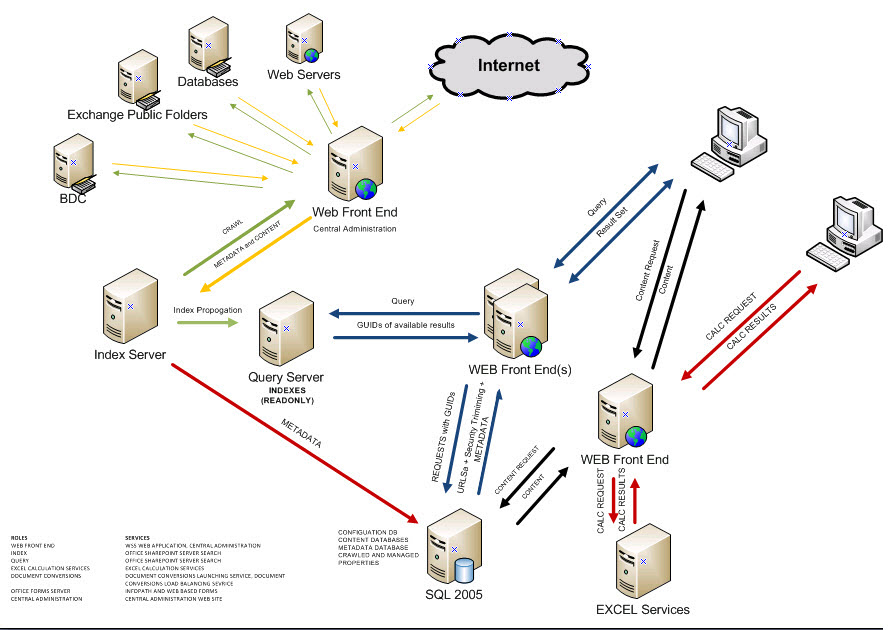
Getting hands on deployment information concerning SharePoint 2019 can be a challenge. Managed to locate this guide which is created by Microsoft detailing the process!
(more…)
Had some fun trying to get a domain validated with Office365. Here’s the issue.
When going for validation, you will be given instructions on setting a TXT or MX record and will be given a validation code to enter with your provider. If the provider given on the page is not yours you could then take a look at the
help screen that gives more details and step by step instructions.
However, it is difficult to ascertain whether the TXT record has been set.
NSLOOKUP comes to the rescue:
- Bring up a Command Prompt
- Enter NSLOOKUP <PRESS RETURN>
- type set q=txt <PRESS RETURN>
- Enter your Domain Name <Press Return>
You should then get a
response that looks something like this:
Non-authoritative answer:
yourdomain.com text =
“MS=ms1625352”
yourdomain.com nameserver = ns2.123-reg.co.uk
yourdomain.com nameserver = ns.123-reg.co.uk
ns1 internet address = xxx.xxx.xxx.xxx
ns2 internet address = xxx.xxx.xxx.xxx
Notice the MS line above – thats the TXT record, and thats what the validation looks for. If you see this, then your domain should be validated successfully.